GamersHeroes Wednesday, February 11, 2026 4:29 PM For those who dream of blue, blue skies, Toree Saturn and its speedy little chickadee guarantee it has been cast. The post Toree Saturn Review appeared first on GamersHeroes. |
GamersHeroes Wednesday, February 11, 2026 1:19 PM Ahead of its release next week, Mob Entertainment has released a new gameplay trailer for their indie mascot horror thriller Poppy Playtime: Chapter 5. The post Poppy Playtime: Chapter 5 Gameplay Trailer Released appeared first on GamersHeroes. |
GamersHeroes Wednesday, February 11, 2026 1:16 PM A beloved tower defense title that spawned a franchise, hedge heads can save 25% on Plants vs. Zombies: Replanted for both Steam and the Epic Games Store through February 23. The post Plants vs. Zombies: Replanted 25% Off on PC Through February 23 appeared first on GamersHeroes. |
GamersHeroes Wednesday, February 11, 2026 11:59 AM The mysteries of the Mermaids of Ise await with the release of Square Enix's PARANORMASIGHT: The Mermaid's Curse on February 19. The post Supernatural Mystery Adventure PARANORMASIGHT: The Mermaid's Curse Launching February 19 appeared first on GamersHeroes. |
GamersHeroes Wednesday, February 11, 2026 11:05 AM Featuring significant updates and new content, MercurySteam and 505 Games' dark fantasy adventure Blades of Fire will release globally for Steam May 14. The post Dark Fantasy Adventure Blades of Fire Coming to Steam May 14 appeared first on GamersHeroes. |
GamersHeroes Wednesday, February 11, 2026 11:03 AM A commemorative pop rock song backed by Scarlet Moon composer Frank van 't Ende and featuring vocals by Rin Shiina, Crush Crush 10th Anniversary: Crush my Crushes is now available across all streaming platforms. The post Crush Crush 10th Anniversary: Crush my Crushes Single Now Available appeared first on GamersHeroes. |
Kotaku Wednesday, February 11, 2026 5:32 PM  Hideo Kojima and more recorded tributes for the icon behind Call of Duty and Titanfall |
Kotaku Wednesday, February 11, 2026 4:35 PM  Emre's tools will fit like a glove to anyone who's played Bungie's shooters |
Kotaku Wednesday, February 11, 2026 4:02 PM Ubisoft Devs Dance While Striking: 'Yves Guillemot Has No Knowledge Or Understanding Of His Company'  The protest comes ahead of more planned layoffs at the Assassin's Creed maker |
Kotaku Wednesday, February 11, 2026 2:26 PM  Valve's popular handheld PC is sold out and people are getting nervous about what this means for the future |
Kotaku Wednesday, February 11, 2026 1:30 PM  Hear me out, what if it doesn't belong in a museum? |
Kotaku Wednesday, February 11, 2026 12:57 PM  From Khal Drogo to saving Super Democracy |
Kotaku Wednesday, February 11, 2026 12:30 PM  Also: who's ready to watch a live-action remake of Frozen inside Fortnite? |
Kotaku Wednesday, February 11, 2026 12:20 PM  Multiple people are reporting that the online retailer has canceled their pre-orders or delayed their order until March |
Kotaku Wednesday, February 11, 2026 12:10 PM  The hero shooter just hit a new concurrent Steam record during its soft relaunch |
Kotaku Wednesday, February 11, 2026 11:58 AM  A weapon-repairing and infinite ammo glitch is breaking everything |
Kotaku Wednesday, February 11, 2026 11:03 AM  An unremarkable successor to the beloved Little Nightmares series |
PCGamesN Wednesday, February 11, 2026 6:00 PM Diablo 4 and Diablo 2 Resurrected are adding the Warlock class to their ranks, and I can't wait to try the ARPG's heavy metal summoner. |
PCGamesN Wednesday, February 11, 2026 5:00 PM As the UK votes for a child VPN ban, Disney has to pay out $10 million dollars due to breaking privacy laws in relation to children's data. |
PCGamesN Wednesday, February 11, 2026 2:02 PM Fable creator Peter Molyneux has given Playground Games' reboot his blessing, even if it's a little more polished than he'd have liked. |
PCGamesN Wednesday, February 11, 2026 2:00 PM Ahead of Masters of Albion's latest trailer, I caught up with Fable and Black and White icon Peter Molyneux to chat about his new god game. |
PCGamesN Wednesday, February 11, 2026 1:00 PM For a game that gives you little more than a slot machine for company, the mesmerizing Cloverpit stirred up some unexpected emotions. |
PCGamesN Wednesday, February 11, 2026 12:40 PM A new demo for Starship Troopers Ultimate Bug War has just landed on Steam, and the full game takes the fight to the Arachnids in mid March. |
PCGamesN Wednesday, February 11, 2026 12:38 PM Learn when you can play the latest expansion with Sims 4 Royalty and Legacy release time details for where you are in the world. |
PCGamesN Wednesday, February 11, 2026 12:27 PM Our list of Nioh 3 missions includes their locations and rewards, helping you decide when to take a detour or focus on the main story. |
PCGamesN Wednesday, February 11, 2026 12:04 PM Finding the right gifts for your Starsand Island neighbors is essential to improving your relationship and eventually even romancing them. |
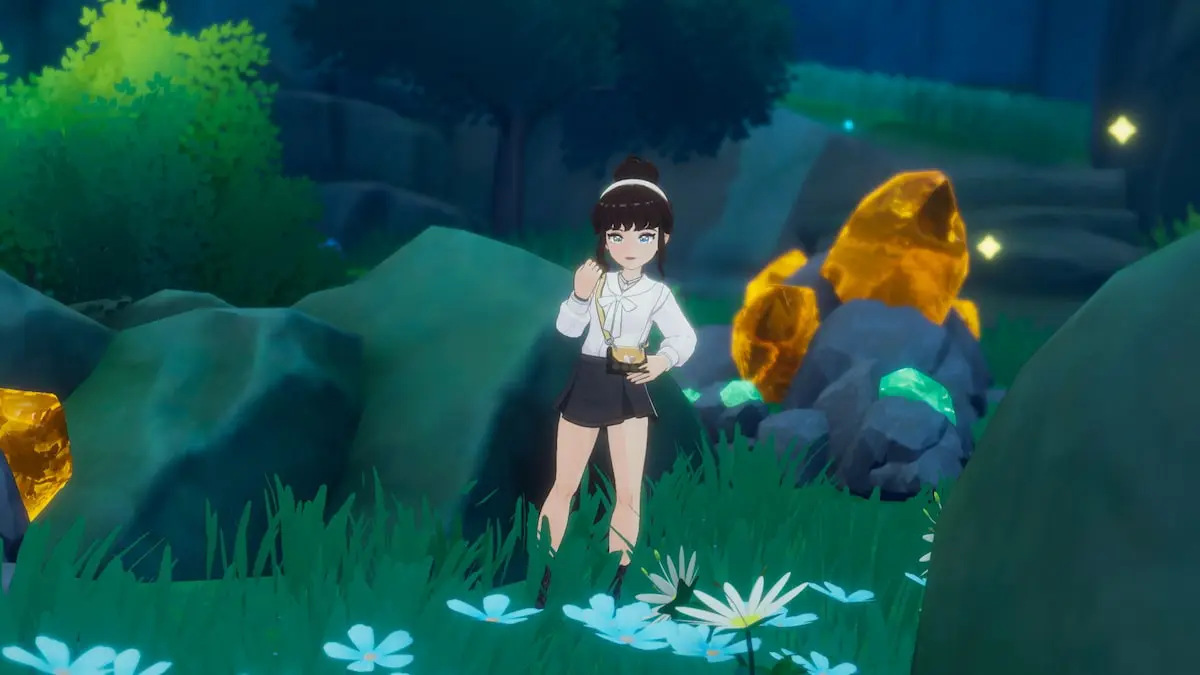
PCGamesN Wednesday, February 11, 2026 12:02 PM On your travels through the Moonlit Forest, you may uncover a pretty Starsand Island Flawed Chest, but it's not that straightforward to use. |
PCGamesN Wednesday, February 11, 2026 12:00 PM A large Starsand Island bronze gate stands between you and exploring the Moonlit Forest, but you need two ruins keys to be able to unlock it. |
PCGamesN Wednesday, February 11, 2026 11:52 AM The main Hytale story is being saved for 1.0, but the new open-world sandbox game will still impact Orbis across a multi-chapter arc. |
PCGamesN Wednesday, February 11, 2026 11:46 AM A new Vampire the Masquerade Bloodlines 2 update adds loot drops you can pickpocket or fight for, and cosmetics including Damsel's look. |
PCGamesN Wednesday, February 11, 2026 11:00 AM From the creators of Little Nightmares, Reanimal is a horror platformer that takes on many, many themes, becoming indistinct as a result. |
Rock Paper Shotgun Latest Articles Feed Wednesday, February 11, 2026 12:38 PM  At least 1,200 Ubisoft developers have gone on strike across Paris and Milan in response to the company's recent massive cutbacks and change of policy towards remote-working. That's the figure given for yesterday's bout of strike action by Marc Rutschlé, Ubisoft Paris staffer and a representative of the union Solidaires Informatique, in a statement to the socialist agitators of GamesIndustry.biz. The primary inspiration for this week's strike is Ubisoft's cancellation or closure of several games and studios, with total job losses still to be confirmed but likely to be in the hundreds. The strikers are also pissed off about delayed or inadequate pay rises, together with Ubisoft's new ban on remote or hybrid working (employees will get a yearly allowance of homeworking days instead). In general, they incline to the belief that Ubisoft CEO Yves Guillemot is a big smelly bumface who should be looking for a new job. |
Rock Paper Shotgun Latest Articles Feed Wednesday, February 11, 2026 12:14 PM  Warren! Warren! Warren! ARRGGHHH! WHAAAA! HUHHHH! Replaced, the long-in-development dystopian platformer from Sad Cat Studios, keeps shouting my last name at me. It might because the game's main character, a jacketed gap jumper and baddie shooter, is called Warren. It might also because I did plenty of falling and accidentally got shot by a robo-sniper in Replaced's demo, which is now live ahead of the full thing's release next month. |
Rock Paper Shotgun Latest Articles Feed Wednesday, February 11, 2026 11:56 AM 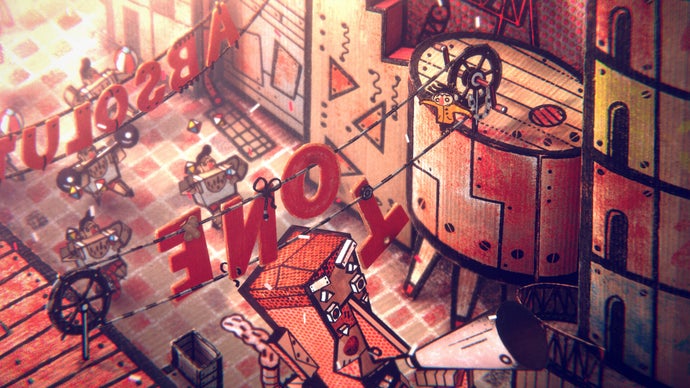 Czech indie developers Amanita Design – creators of Samorost, Creaks and Machinarium, among other marvels – have released a demo for Phonopolis, their 3D cardboard adventure about a young man called Felix who is trying to save a city brainwashed by massive loudspeakers. Protected by his headphones, Felix is on a mission to stop the authoritarian Leader from issuing the Absolute Tone, which will "strip every citizen of their humanity forever". Seems like a thing to avoid! |
Rock Paper Shotgun Latest Articles Feed Wednesday, February 11, 2026 11:21 AM 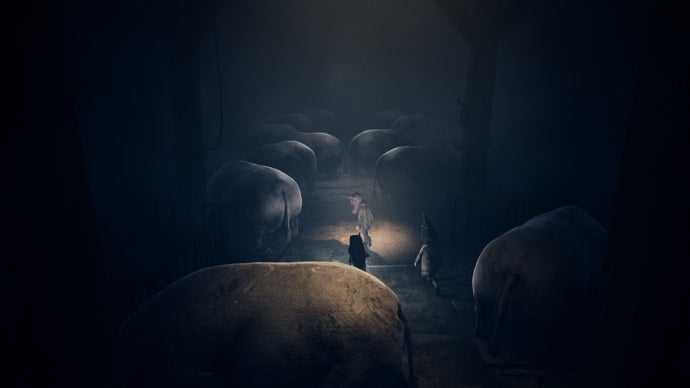 In an industry pestered by calls to "think of the children", Tarsier's games are useful reminders that children can be utterly depraved in ways no coddling adult would ever dream. Later in Reanimal, the developer's latest, strictly 'co-optional' horror game, two kids rip an eyeball out of a massive, sunken horse skull and shove it into what I sincerely hope is the eyesocket of a slumbering whale. Somehow, this is necessary to advance. It's the kind of thing that would only occur to children, because children do not reason like 'we' do, those disgusting creeps. They sense that they exist in a world that isn't for them: a world of baffling laws, high shelves, and everyday monstrosity; a world they're required to 'grow into' by means of repeated shedding and sprouting and subjection - milk teeth and pubic hair and doing your goddamn chores. So they instinctively come up with ways to screw with the system, twist its horrible logic against itself. Why not push a horse's eyeball into a whale? |
Siliconera Wednesday, February 11, 2026 3:00 PM
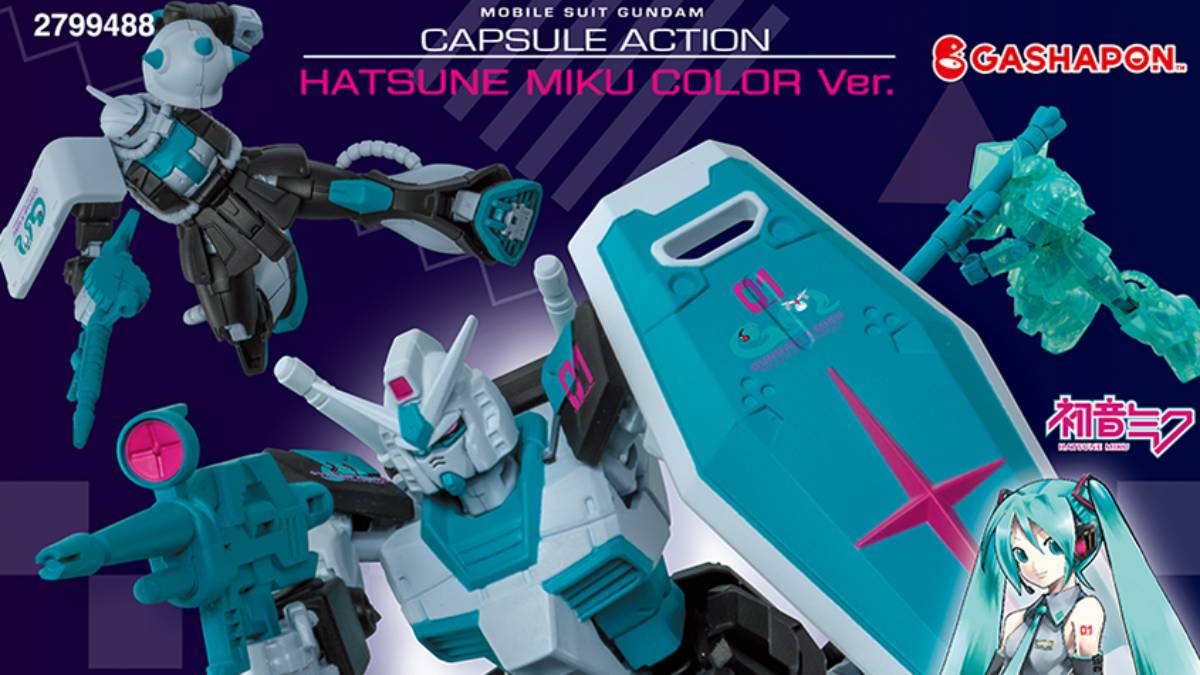
Bandai Namco announced that the North American Gashapon capsule machines and storefronts will stock the Mobile Suit Gundam Capsule Action Hatsune Miku Color mini model kits. There's no exact date for when they might appear in machines in the US and Canada. The official site update only confirmed we'll start seeing them after February 10, 2026. These follow the Premium Bandai full-size kits that sold out at the end of January 2026 and a number of crossover figures.
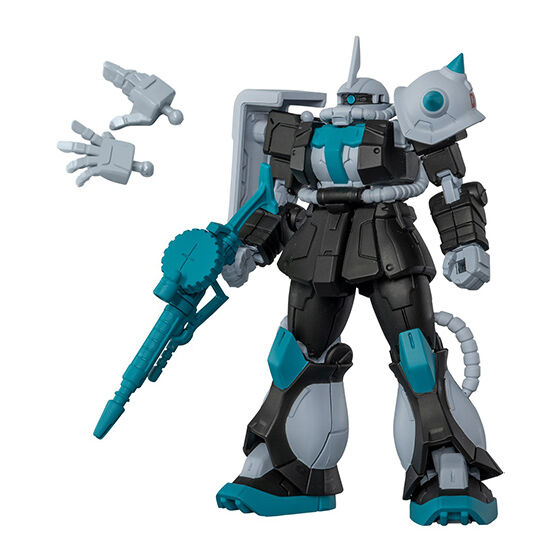
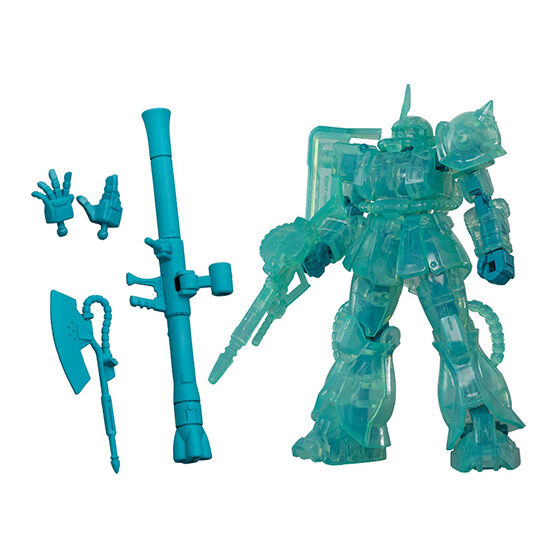
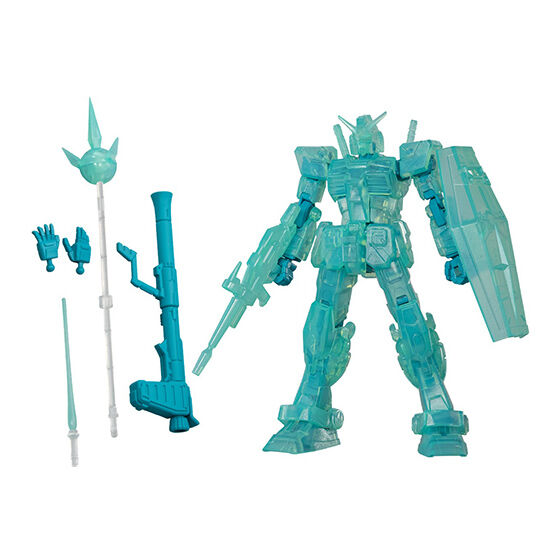
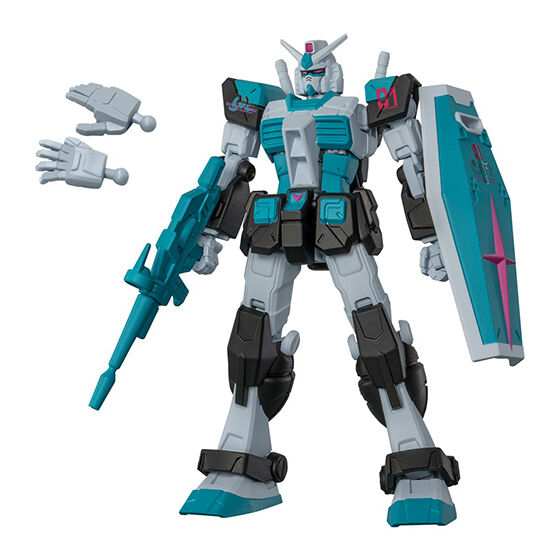
The Gundam Capsule Action series always involves building a tiny gunpla that is typically about nine centimeters tall (around three inches), and they always include some additional weapons the mechs can equip. In the case of this collection, there are four possible kits to get. There are two versions of a standard Gundam and two of Char's Zaku. In each case, there's one version that features the standard Hatsune Miku color scheme of teal, magenta, grey, and black, and a second that is a totally translucent teal color.
Here's how all four versions will look. The sample images also show the weapons each one comes with and points out that additional hand parts are included so the gunpla can be displayed at rest or when holding accessories.
While places like Big Bad Toy Store sometimes sell full sets of the Capsule Action Gundam toys, that storefront doesn't have a listing for this set yet.
The Mobile Suit Gundam Capsule Action Hatsune Miku Color mini model kits will begin appearing in Bandai Namco Gashapon capsule machines in the US and Canada in February 2026.
The post Gundam Capsule Action Hatsune Miku Color Model Kits Head to Gashapon Machines appeared first on Siliconera. |
Siliconera Wednesday, February 11, 2026 1:00 PM
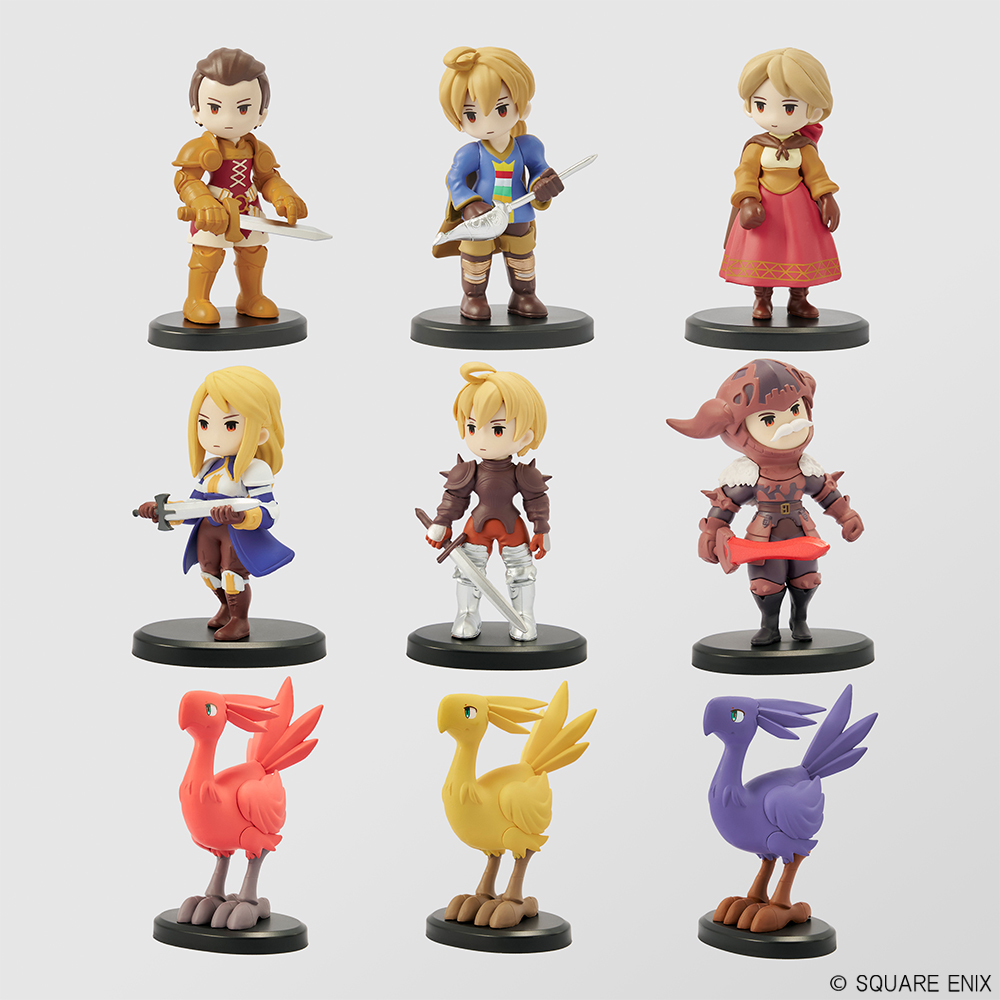
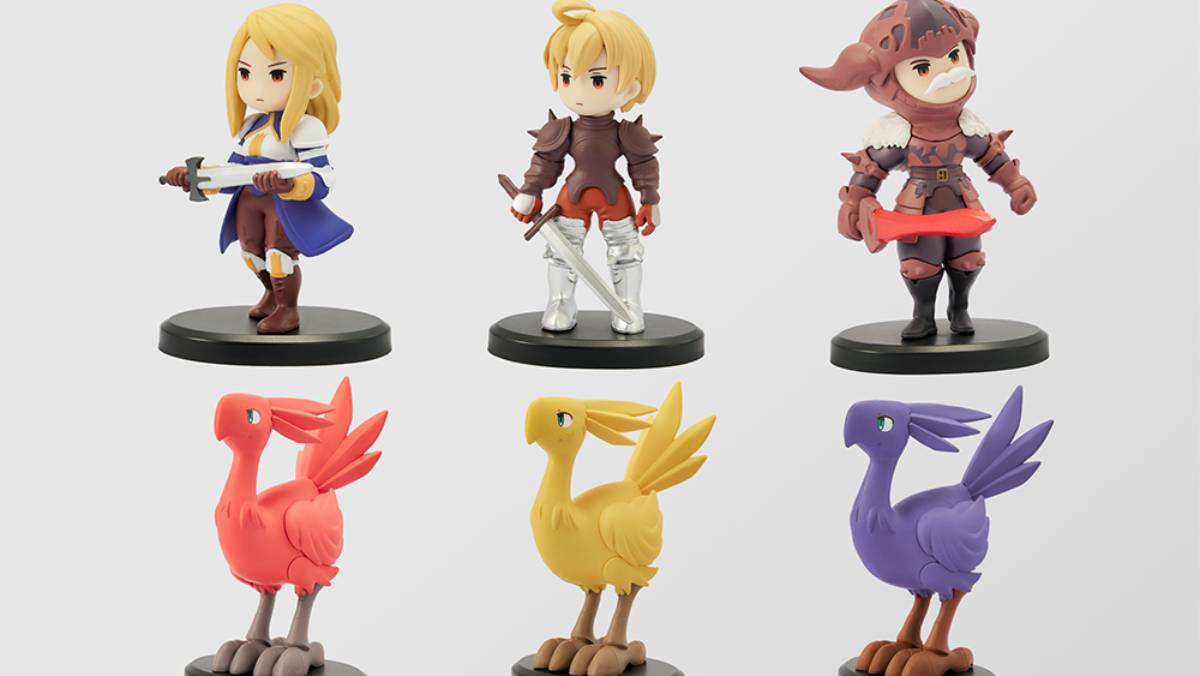
Square Enix announced we won't need to head to a Japanese arcade to pick up the Final Fantasy Tactics Miniature Figure Collection pieces, as the characters who recently appeared in The Ivalice Chronicles rerelease will be sold worldwide. The items will appear in blind boxes. The company's official storefront is selling a single random one for $18 in the North American storefront. In both the North American and European ones, you can buy a full set of all nine figures for $162/€165. They'll all ship in June 2026 in North America and August 2026 in Europe.
Each of these is a chibi-design figure of one of the main cast members of Final Fantasy Tactics. They are all about three inches tall. Their poses are static and set, so you can't change any positioning, but some are armed with their signature weapons.
Here's who you can get in this set:
And here's a closer look at how all nine figures look in the full set.
In the past, these figures showed up as prizes in arcades in Japan. The first "collection" involved Ramza, Alma, and Delita. The second round had Ramza, Agrias, and Goffard.
The Final Fantasy Tactics Miniature Figure Collection characters will show up in North America in June 2026. A European release will follow in August 2026. They're already available in Japan. Final Fantasy Tactics: The Ivalice Chronicles is available worldwide on the Switch, Switch 2, PS4, PS5, Xbox Series X, and PC.
The post Final Fantasy Tactics Miniature Figures Being Sold as a Set appeared first on Siliconera. |
Siliconera Wednesday, February 11, 2026 12:00 PM
Kairosoft announced that it made the Android and iOS versions of the simulation Game Dev Story free on mobile storefronts. The announcement, which came up on social media, noted it is a one-day affair to celebrate the developer's 30th anniversary. In order to claim it and retain access to the title after, someone must get it from Google Play or Apple's App Store. Only those two options apply, as the Amazon storefront for its Android devices still shows it as $4.99.
Game Dev Story is one of Kairosoft's oldest and most famous simulation games, which started out as a Japanese PC exclusive until mobile ports for Android and iOS devices appeared worldwide in 2010. Players create a developer. They then hire staff to develop original games, take on contract work, and even eventually create their own consoles. Titles will be reviewed by a Famitsu-style magazine, you'll unlock different genres and concepts that can have different synergies, and it is even possible to attend a TGS-style GameDex event each year.
Since its original launch, Game Dev Story appeared on multiple platforms. You can find it on the Switch, PS4, Xbox One, and Xbox Series X, though none of those are part of this free promotion. A PC version is also available on Steam now. It also ended up becoming part of Apple Arcade.
Game Dev Story is temporarily free on Android and iOS devices via the Google Play and App Store mobile storefronts on February 11, 2026.
The post Game Dev Story Temporarily Free on Android and iOS Mobile Devices appeared first on Siliconera. |

Destructoid Wednesday, February 11, 2026 3:58 PM
Helldivers 2 has served us plenty of enemies to hunt down since its launch two years ago, and the Cyberstan cyborgs are the latest threat.
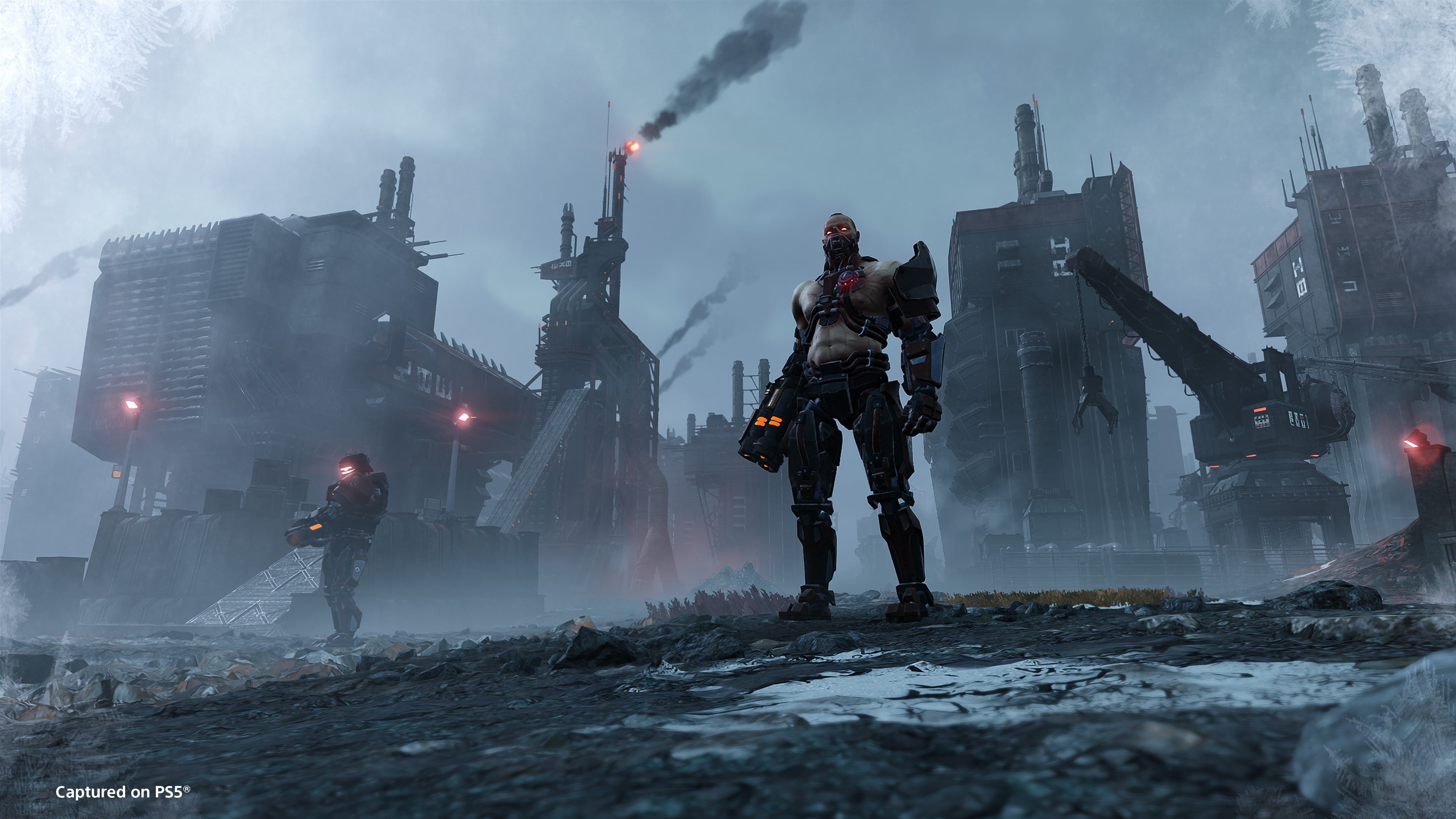
The cyborgs are different from the other humanoids and automatons we have had in the past. To liberate Super Earth, you'll have to chop down plenty of cyborgs. While you can always bring along the big guns to chop them down, going about the task strategically will be far more fruitful.
Table of contents
How to defeat all Cyberstan Cyborgs in Helldivers 2
There are primarily two types of cyborgs you'll encounter in Cyberstan: Radicals and Agitators. However, the Vox Engine can also be considered in the same category since a cyborg controls it.
Radicals

Radicals are the easier cyborgs to take down since they have light armor. However, they're extremely fast and can close down the gap pretty quickly if you're not careful. They use a Hydrogen Scattergun and pop smoke grenades to hide their location.
The easiest way to take them down is to aim at the head. A few headshots should be good enough to take them down. As an alternative, you can also aim at their limbs. Without the legs, they won't be able to move fast, making it easier for you to aim.
Shooting at the torso will also get the job done, but you'll need more ammo. You'll also need weapons that are good at close quarters, but also offer decent ammo capacity. Using a weapon with a fast firing rate is necessary as they will attack you from unexpected positions.
Agitators
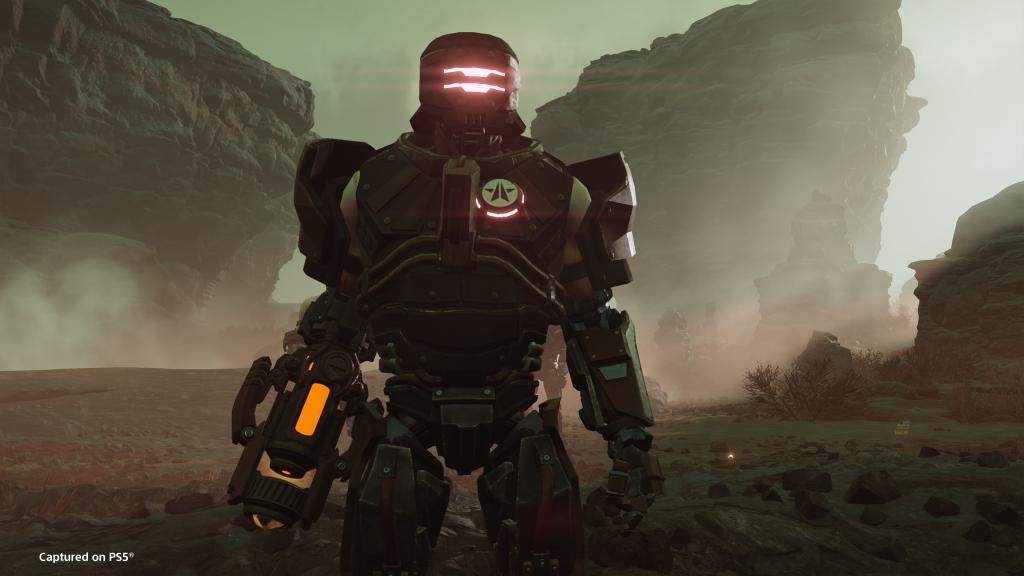
Agitators are more dangerous than Radicals, and they usually rely on an Automaton patrol for attacks. Ideally, you should only try to take down an Agitator when it's separated from the rest. They're completely armored from head to toe, which raises the difficulty of taking them down. For weapons, the Agitator uses a Hydrogen Charger.
Once again, the head is where the heart is (not literally). Shooting at the head will expose the softer parts as the armor withers away quickly. The next best area to target is the limbs, especially in the lower part. However, you want to get in proximity to an Agitator.
An Agitator has augments and they can dodge bullets in close range. Ideally, you'll want to bring your best sniper rifle and engage from long range.
Vox Engine
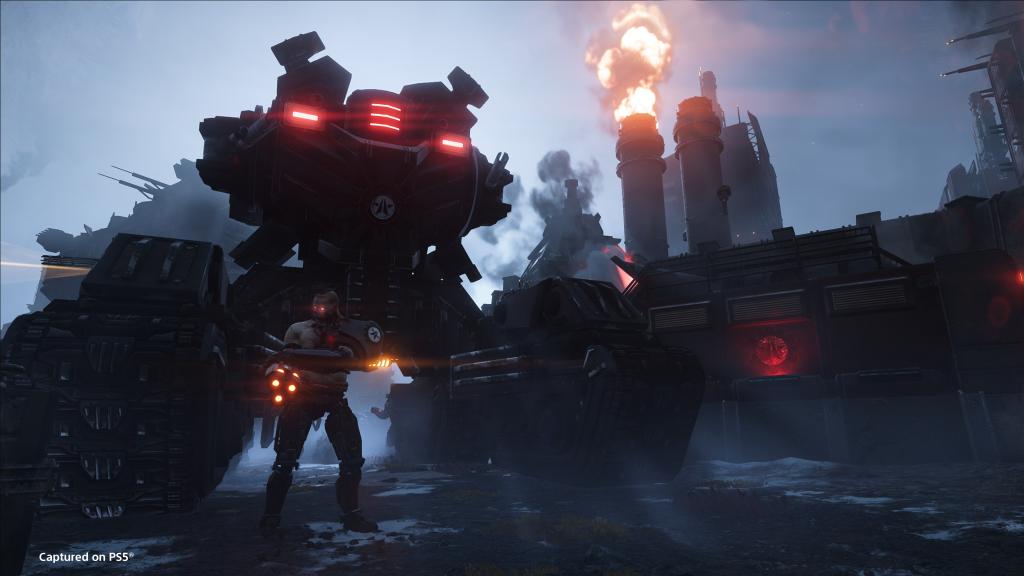
Whether you consider the Vox Engine in the same category as the other two is up to you. However, this is the hardest cyborg to take down. It has Gatling Guns, Icarus Launchers, and Fusion Repeater Cannons. It starts firing as soon as it catches your sight, and getting caught in that, well, won't be good.
So what are its weak spots? If you have anti-tank weapons, you can target them from range. If not, the other approach is fun but risky. The Vox Engine's weakest point is the vent located directly under the torso, next to the weapons. Destroy the vent, and it opens a hatch. Pop in a grenade through the hatch, and the cyborg will simply explode.
However, this method is quite risky, and you'll have to avoid getting targeted by other enemies. Hence, the best approach is to use anti-tank weaponry like the EAT-17 from a distance and keep firing until it goes down.
The post All Cyberstan Cyborgs in Helldivers 2 and how to defeat them appeared first on Destructoid. | ||||||||||||||||||||||||||||||||||||||||||||||||
Destructoid Wednesday, February 11, 2026 3:57 PM
The planet of Tau Ceti IV is ripe for the picking when it comes to shooting and looting in Marathon, Bungie's new extraction shooter FPS.
In this particular genre, made famous by games like Escape From Tarkov and ARC Raiders, mission-givers are a core part of the experience as they give you a narrative reason for playing beyond eliminating other players and grabbing better loot.
In Marathon, they help gear you up and also supply you with swag, like skins and cosmetics, but they're also just incredibly stylish and bad-ass.
Table of contents
What are factions in Marathon?

Factions in Marathon are separate unique entities in the game world that have vendors who offer you missions and allow you to purchase items and gear. Leveling up with factions unlocks new abilities and cosmetics for your Runners.
Each faction has a Vendor (like a Trader in ARC Raiders or Escape From Tarkov) that offer rewards for completing missions. These missions are also central to telling the story and narrative of the world of Marathon.
Much of Marathon's factions is still shrouded in secrecy (or under NDA), so here's what we know so far.
All Marathon factions
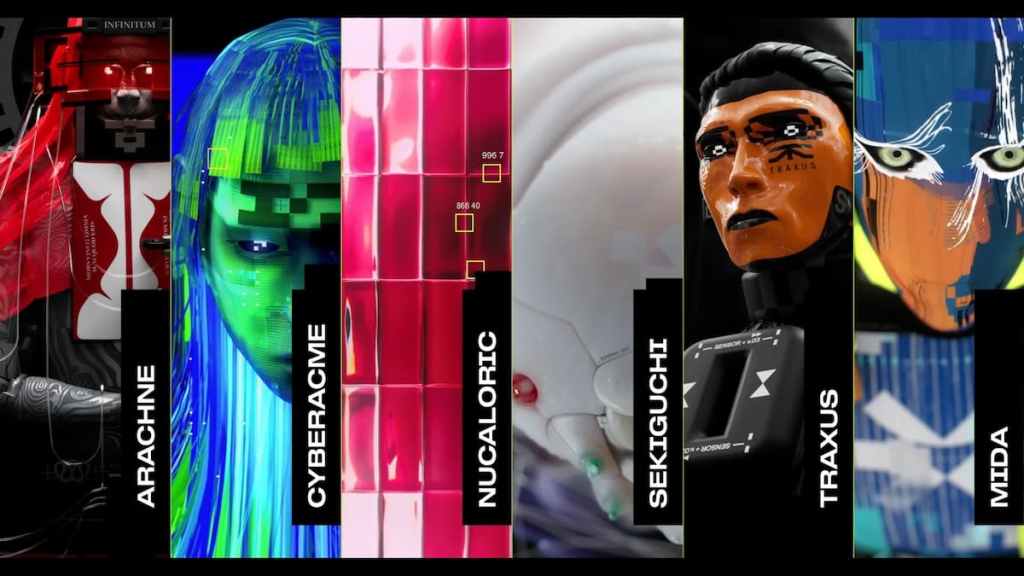
To tease Marathon's factions, Bungie has released several short videos to introduce them to players, including their Vendors who will be the ones giving out missions and hoping for your allegiance.
Arachne
Arachne is described as a "death cult" in Marathon's universe, and their aesthetic certainly drives home that vibe. The most ruthless killers will want to apply to continue feeding the cycle of death while leveling up.
CyberAcme
CyberAcme is "interlinked" with your Runner's consciousness, meaning that in the game world, the company is responsible for how the whole thing works: inserting your mind into disposable Runner shells.
MIDA
Returning from the original Marathon games (and from some Easter Egg-named weapons in Destiny), MIDA's expertise is explosives, so they may be a good fit for you if you enjoy playing the Destroyer class. The vendor _gantry describes MIDA as "anti-corp" and "anti-UESC," so it'll be big with the most rebellious of gamers.
NuCaloric
"Our mission is to ensure humanity's survival by meeting its most basic needs," the vendor Gaius says, explaining NuCaloric's agricultural mission to supply nutrition.
Sekiguchi
Sekiguchi is a bioscience company, responsible for the creation of Runner shells with those cool/creepy little caterpillars threading them together.
Traxus
Described as "major investors in the original Marathon expedition," Traxus is trying to recoup its losses. That means you doing their bidding, and it sounds like they have the money to back it up and give you all the reason you need.
Marathon faction rewards
While currently unknown in detail, Marathon's factions can all be leveled up, meaning there's no being locked to one specific group. Playing and completing all of the faction's missions will be the way to go, helping to unlock whatever they have to offer beyond mission-based items and currency.
This article will be updated as more information about Marathon's factions is revealed.
The post Marathon factions, explained – All factions and rewards in Marathon appeared first on Destructoid. | ||||||||||||||||||||||||||||||||||||||||||||||||
Destructoid Wednesday, February 11, 2026 3:52 PM
Discord recently announced that it's going to make everyone fork over their IDs or perform face scans unless they want to have a "teen-by-default" limited account. It prompted many folks, myself included, to seek out alternatives for the platform, something new to get used to ahead of the planned rollout of this global change in March.
Luckily, I managed to find five alternatives (two of which you probably can guess already) to get myself and my friends situated. What made Discord great is still absent from the majority of alternatives out there, but maybe the time is right for rapid updates, and we might see significant improvements to alternative gaming-oriented chat apps in the coming months.
So, here's what I found.
Table of contents
Zulip
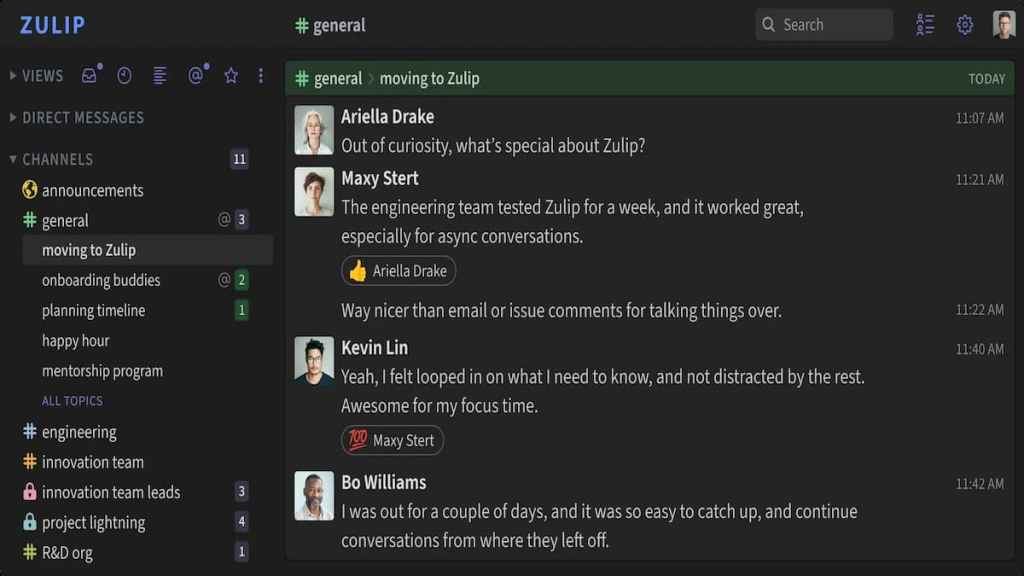
When I started my search for Discord alternatives, I wound up finding lots of corporate-oriented chat sites and apps that simply didn't sit well with me as a gamer. Zulip, too, carries a corporate vibe, but I found it much less so than, say, Slack, whose primary purpose really is to bring companies and workers together in a simple way.
Zulip is easy to use and set up and has voice chat, DMs, channels, you name it. While it's not as customizable as Discord, it's probably one of the better, simpler ways to bring large numbers of people together under a single chat server.
Zulip can also be self-hosted and is an open-source software solution, allowing for much more control and privacy than Discord ever could. The number of features the free version provides is just enough to weather this coming storm, and who knows, it might even be something you and your group love enough to pay for. In any case, it'll certainly prove useful.
SpacebarChat
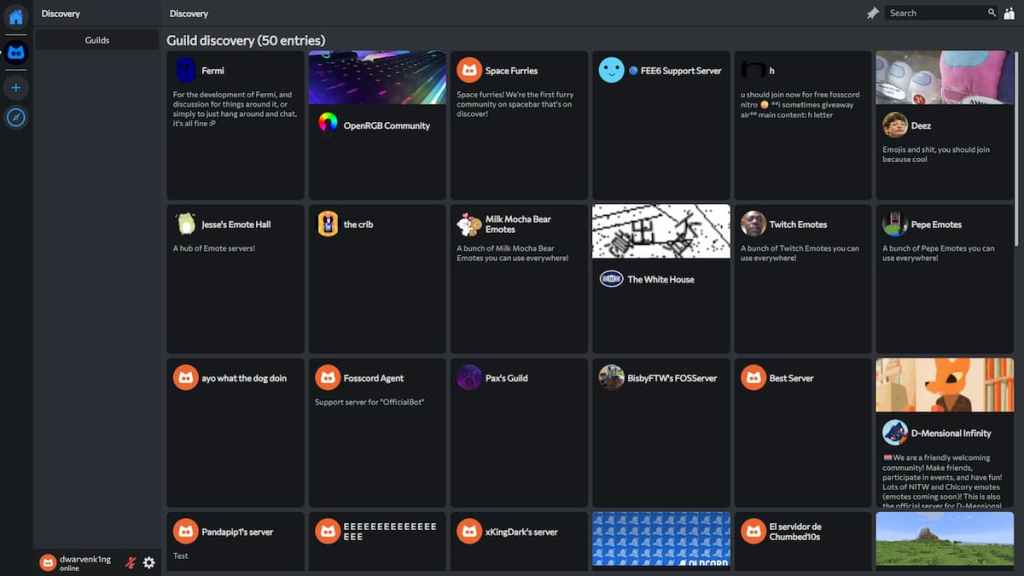
Spacebar.chat is a web-based, open-source Discord alternative that draws significant inspiration from the latter in both its UI and functionality.
It's as close to Discord as you can get in a web-based environment, complete with servers, voice and text channels, friends lists, DMs, a broad and vibrant community, etc. Everything you did on Discord you can more or less do on Spacebar. It currently requires an account registration and runs through the fermi.chat instance, but it's completely free and available to everyone.
It also has its GitHub page where you can review the code to your heart's content, as it is, as I've said above, completely open-source and transparent and, therefore, user-oriented.
Root
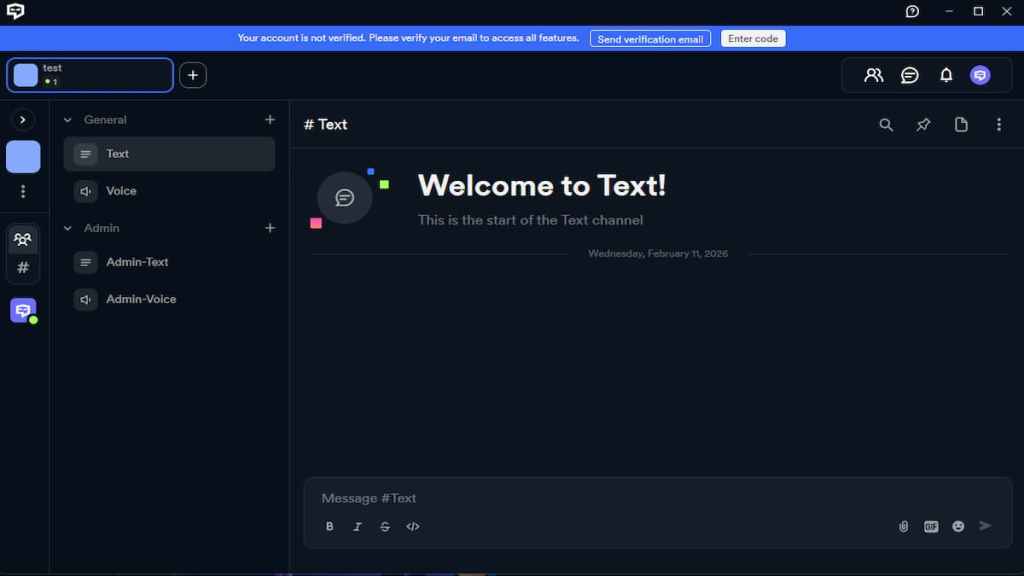
Yet another Discord copycat, RootApp is basically the same as both Discord and Spacebar, only that it can be downloaded as an app instead of being locked to a web-based environment. It's even closer in feel and looks to Discord than Spacebar is and should make you feel right at home as soon as you cross over.
In fact, it's so similar to Discord I had a hard time deducing whether it was just a skin for Discord itself. RootApp is, however, more inclined toward MMO players with dedicated raid planners and other ways to streamline raid communication but can serve a general purpose just as well.
Root also comes with its own suite of apps that can help you host your own servers with ease, with the full documentation available for review so your privacy and data remain protected and safe at all times.
TeamSpeak
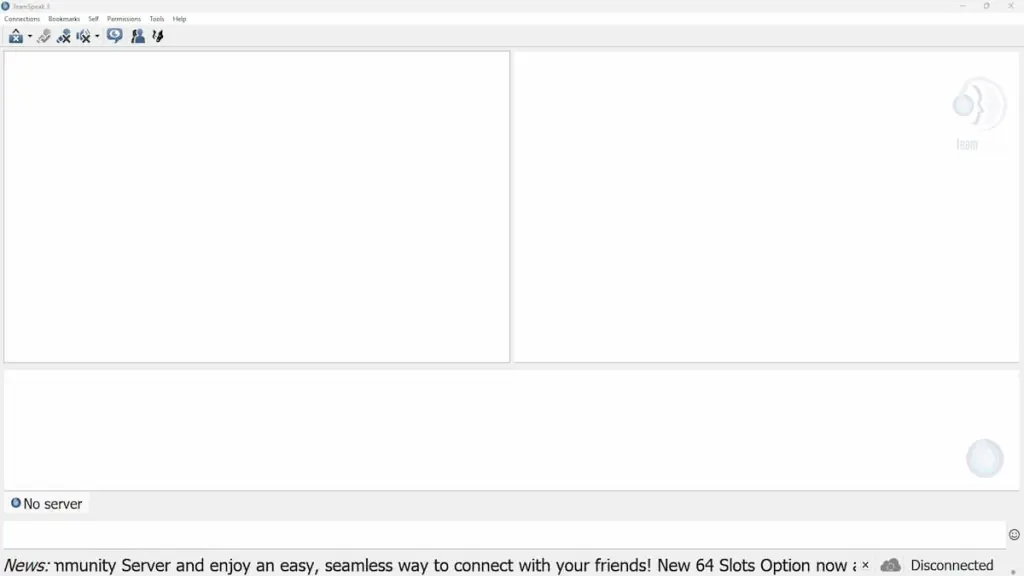
You knew this one was coming. TeamSpeak, specifically TeamSpeak 3, is one of the oldest and easiest-to-use voice chat programs ever made for the PC. While its UI might prove a bit archaic and not up to date, TeamSpeak is the pinnacle of private voice chat server hosting.
It doesn't have much in the way of text-based communication, nor are its servers even remotely as customizable as those on Discord, but what it lacks in those areas it gains in tremendous voice-chat audio quality and low resource demands that will in no way hamper your gaming experience.
The average player today has merely 16GB of RAM installed, with Discord eating some 700MB in the background, whereas TeamSpeak 3 will barely even appear on your Task Manager. It's lightweight and extremely functional, but it requires paid server hosting if you want a truly private experience.
Steam Chat (Groups)

Steam Chat, both as a dedicated app and as part of Steam itself, is a highly functional, integrated way to communicate with your friends or larger groups of people. While not as detailed or as refined as Discord in any way, you can create infinite groups for free based on any niche you like.
The voice chat features are very good, with audio quality being almost too good (it picks up sounds you never knew were there). It can lag out sometimes, but it still remains one of the easiest ways to start talking with your friends, because who doesn't use Steam these days?
After all, it's part of the broader Steam experience, and Valve now has the opportunity of a lifetime to make Steam Chat into a comprehensive tool for communication, perhaps with custom servers, screen sharing, and other features that most Discord alternatives sorely lack.
The post Don't trust Discord with your ID? Here are five alternative platforms to try appeared first on Destructoid. | ||||||||||||||||||||||||||||||||||||||||||||||||
Destructoid Wednesday, February 11, 2026 3:52 PM
A festive and fun Valley Valentines event has arrived in Disney Dreamlight Valley. While working through the festivities, you'll encounter a couple of vaguely named duties you need to complete, including Cupid's Confections.
For this quest, all you have to work with is the name of the duty. It's not enough to know exactly what needs to be done, so if you want to skip the guesswork and get right to it, here's how to complete Cupid's Confections in Disney Dreamlight Valley.
Table of contents
Cupid's Confections duty in Disney Dreamlight Valley
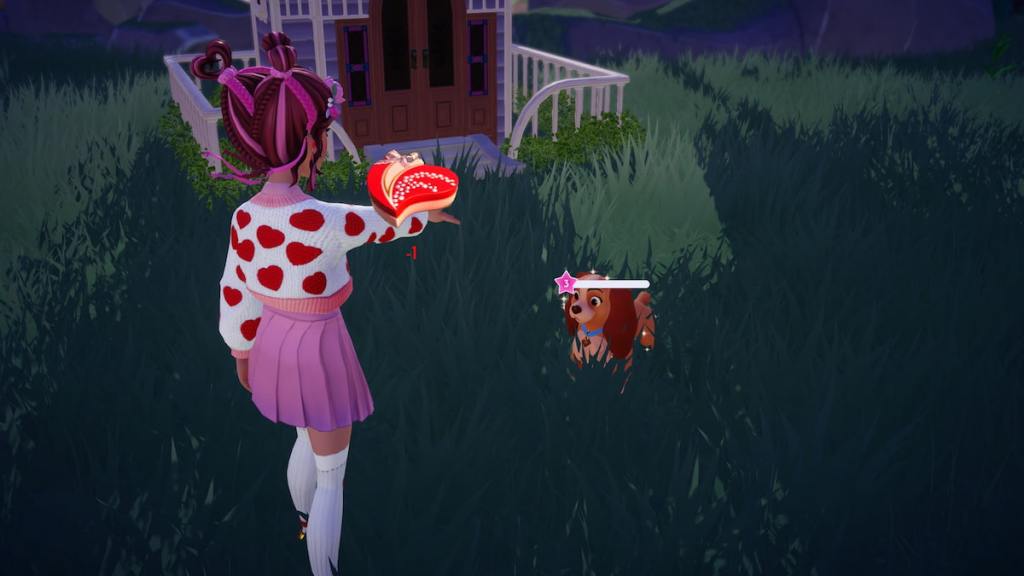
To finish the Cupid's Confections duty, you need to gift five Heart-Shaped Chocolates to valley villagers. You can only earn one of them per day, as only one event quest is available each day, so fully working through this mission takes a minimum of five days to complete.
Heart-Shaped Chocolates are earned by completing daily quests featured in the event, which is also how you progress the Cupid's Best Assistant duty. There are 14 unique quests, each with a different villager or romantic villager pairing. At 5am in your local timezone each day the event is active, a new quest will be chosen.
Gifting a Heart-Shaped Chocolate to a village gives your friendship with them a hearty boost. It can be given to any character, even those you already have maxed out friendship with, but it's a much better present for those you are still working on, as it'll help you get much closer to claiming all of their friendship rewards.
To figure out what the daily mission you need to tackle for Heart-Shaped Chocolate is, visit the Event page, click on the Valley Valentines tab, and choose the Quests drop-down menu under it. Scroll through the list of available missions until you spot one with a purple background.
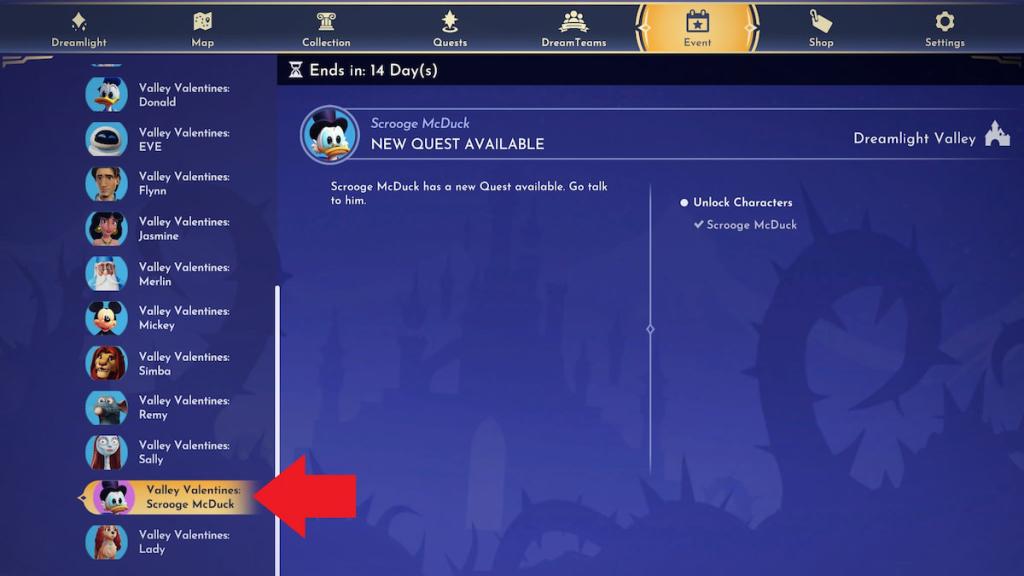
Whichever character is featured on the quest is the one you need to track down and chat with to initiate the mission. Your featured daily quest is meant to appear on the actual Quest page by default, but it seems to be a bit glitchy, so checking from the actual event page is the best way to get things moving. Each task is different, so what needs to be done to finish them varies.
Cupid's Confections reward in Disney Dreamlight Valley
Finishing the Cupid's Confections duty unlocks the Red Valentine Petals item as a reward. This furniture item is a VFX asset you can place down to continuously have red petals falling around the specified area. It's a great item to use for adding some pizazz to your weekly DreamSnaps challenge when it matches the theme.
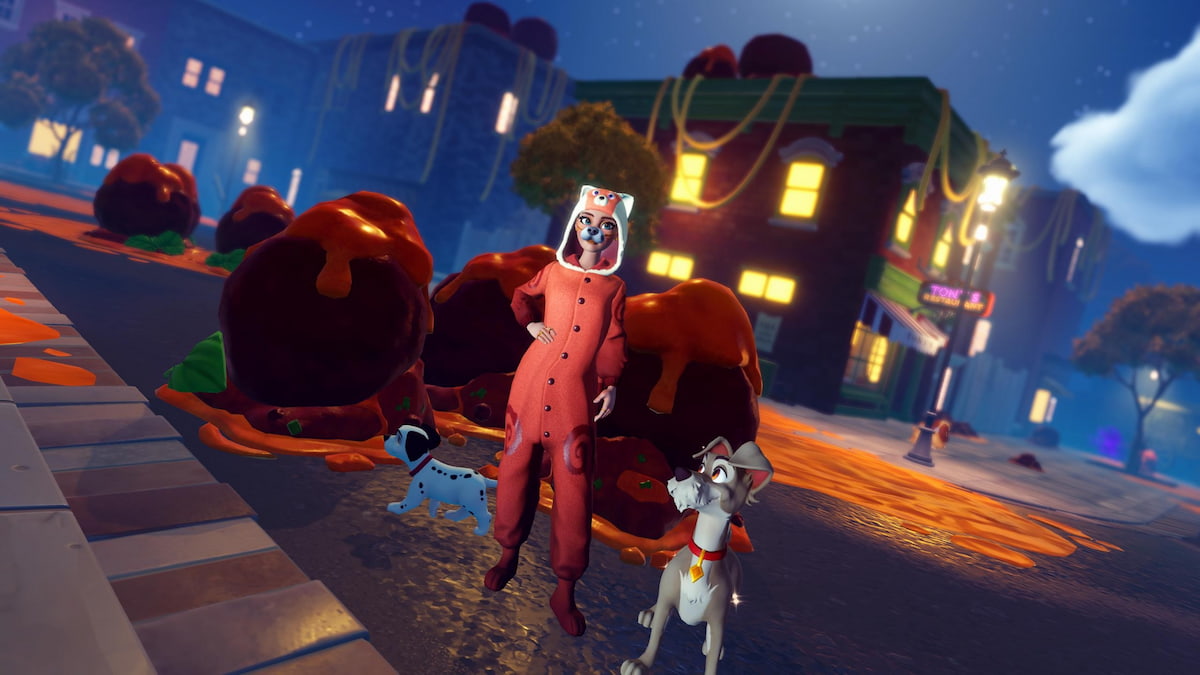
If you're up for some additional tasks after checking off this one, there's a lot more to get done around the village. Next, you might work on unlocking Lady and Tramp, completing Meatballs, tackling some Paw-fect Romance Star Path duties, and completing Critters and Compassion.
The post How to complete Cupid's Confections in Disney Dreamlight Valley appeared first on Destructoid. | ||||||||||||||||||||||||||||||||||||||||||||||||
Destructoid Wednesday, February 11, 2026 2:48 PM
A new Valley Valentines event has arrived in Disney Dreamlight Valley, bringing with it plenty of quests you can tackle for exclusive prizes. One of the tougher missions to figure out in this one is Cupid's Best Assistant.
All you're given to go off is the name of this duty and the general theme of the event. It's not much to work with at all, so there's a good chance you'll end up stuck on this one. If this is the case, here's how to complete Cupid's Best Assistant in Disney Dreamlight Valley.
Table of contents
Cupid's Best Assistant duty in Disney Dreamlight Valley
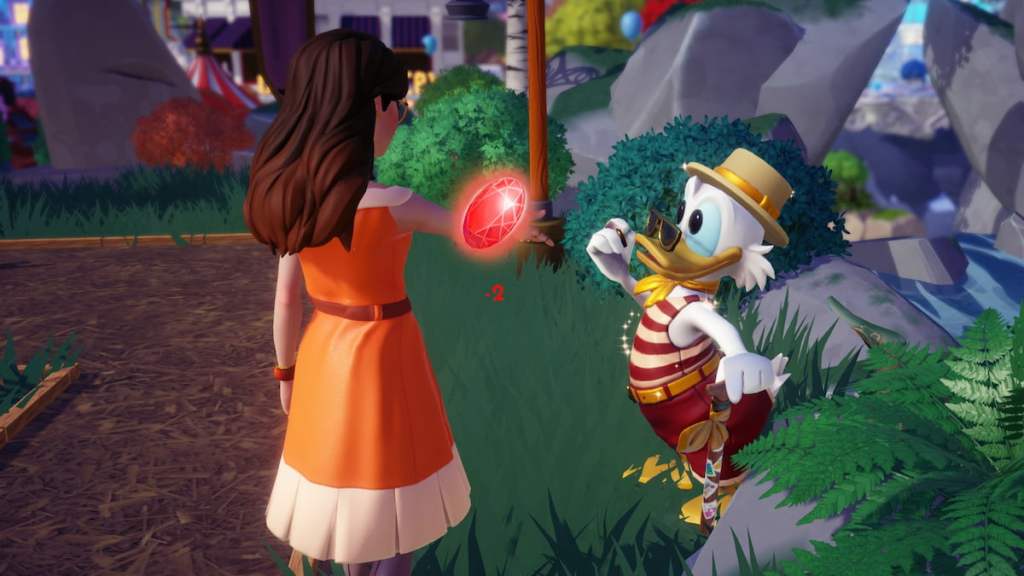
To finish the Cupid's Best Assistant duty for the Valley Valentines event, you need to finish two missions from villagers featured in this event. There are 14 special event quests in total, but only one is available to complete each day. The characters and missions included are as follows.
Each quest is different, so what needs to be done to work through it varies. Some may ask you to find and gather resources, while others may ask you to cook or craft. They're all fairly doable, though, regardless of how far into the game you are.
The event system for this one is a bit glitched, so it can be tough to figure out what quest you have to complete. If you don't see any event missions on the usual Quest page, switch over to the Events page, select the Valley Valentines event, and click on the Quests drop-down tab under it.
Scroll through all of the tasks listed here until you spot one that has a purple background instead of blue like the rest. Whichever character has a different color is your quest of the day, and you can start the mission manually by tracking them down around the village to chat. When you find them, select the Valley Valentines quest from the available options.
Event quests reset daily at 5am in your local timezone, so you can check back in each day to tackle an additional mission. Since you need to have at least two missions done to finish Cupid's Best Assistant, it takes a minimum of two days to finish this task. You can also tackle as many quests as you like after you're done with this duty if you're eager to claim more rewards.
Cupid's Best Assistant reward in Disney Dreamlight Valley
The main prize for completing Cupid's Best Assistant is the Sparkling Hearts Photo Frame item, which can be applied to any picture you capture in photo mode. This item can only be unlocked in the event, so it's a pretty special one.
As you work through any event quests for this duty, you'll also be granted Heart-Shaped Chocolates, which can be gifted to villagers. Any villager who receives one of these gets a huge friendship boost, so if you're hoping to swiftly level up some relationships, it's a great tool for doing so.
If you're up for more work after completing this quest, there are plenty of other tricky tasks to get done around the valley. Next, you might work on making Spaghetti Especialle, changing your Dream Castle skin, unlocking Lady and Tramp, and completing Critters and Compassion.
The post How to complete Cupid's Best Assistant in Disney Dreamlight Valley appeared first on Destructoid. | ||||||||||||||||||||||||||||||||||||||||||||||||
Destructoid Wednesday, February 11, 2026 1:45 PM
Overwatch has rebranded, ditching the "2" and returning to its roots. This title-changing update brought along a ton of other much-needed improvements and additions, urging players to come back and see what's new.
But as they started coming back in droves, so did the servers start to suffer. Specifically, it seems the Steam version of the game was hit the hardest, with players stuck in queues only to be met with "Error BN-564" once they got to first place.
If you're one of many suffering from this issue, here's what you can do to fix it.
Overwatcherror BN-564, explained
This particular error seems to happen primarily to Steam players who were stuck in the queue and then sent back to the end once they were supposed to get into the game. As many have been met with this issue, many purported fixes have been proposed, though two stand out the most:
If these two fixes don't work, then the error could be related to your own machine or internet connection. Troubleshooting your router, testing out other games, contacting your ISP, or, finally, contacting Blizzard itself are what you should do in that case. Of course, there's the restart and reinstallation process that you can perform as well, which more often than not will prove fruitful.
In any case, the fixes above seem to work for the majority of players, and should be the way to go for you as well.
The post How to fix error BN-564 in Overwatch appeared first on Destructoid. | ||||||||||||||||||||||||||||||||||||||||||||||||
Destructoid Wednesday, February 11, 2026 1:30 PM
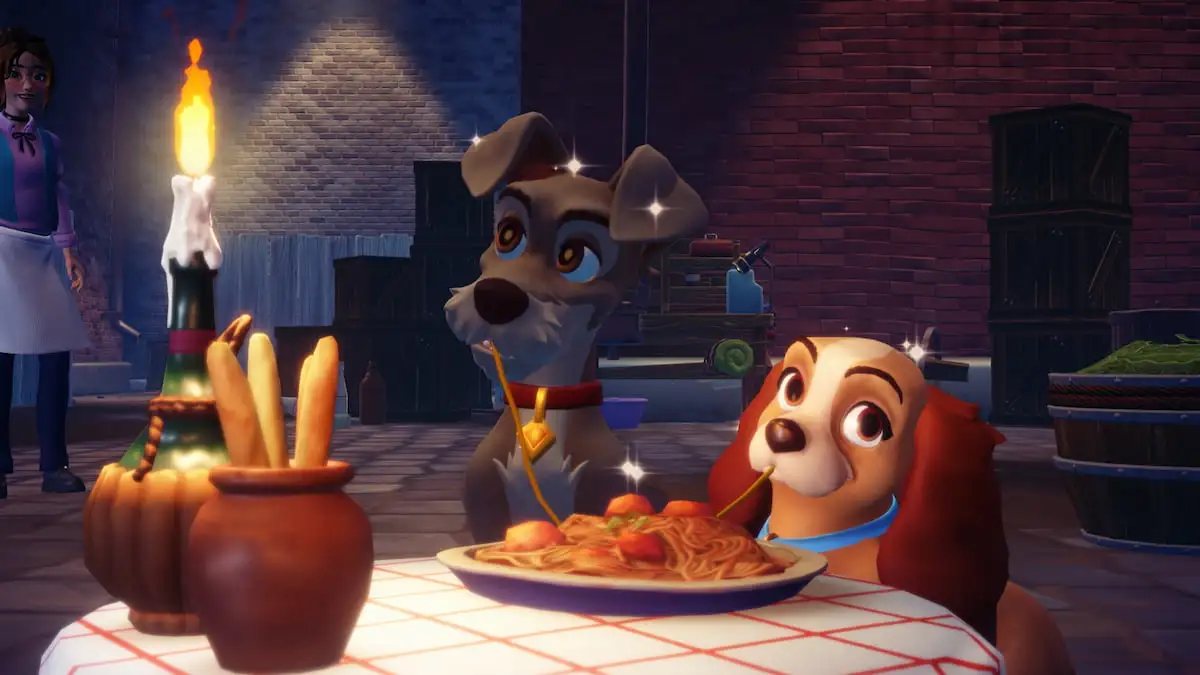
Upon arriving in the Lady and the Tramp Realm in Disney Dreamlight Valley, you'll be asked to make a special meal for the iconic puppy duo. They request Spaghetti Especialle, which isn't a dish you've ever made before.
This unique recipe requires you to solve a bit of a riddle that's been laid out for you, which means you may be struggling to work through it. If this is the case, here's how to make Spaghetti Especialle in Disney Dreamlight Valley.
Table of contents
Spaghetti Especialle ingredients in Disney Dreamlight Valley
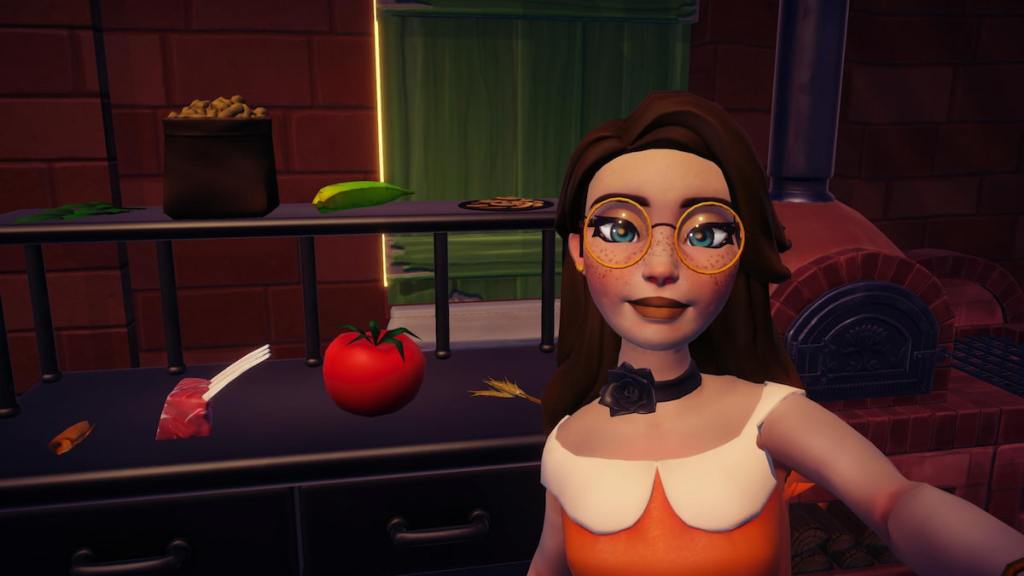
There are eight ingredients available to use in the Lady and the Tramp Realm for the Spaghetti Especialle during the Canine Courtship quest, but you only need to cook with five of them. Spaghetti Especialle is a five-star meal, so it requires the same number of ingredients.
To the left of the cooking station, all of the available ingredients you have to work with are:
To figure out which ingredients are actually part of this dish, you'll need to check out the sparkling book sitting on a crate near the cooking station and the shelf with all of the ingredients on it. The recipe is presented as a bit of a riddle written by Tony, the restaurant owner, with only some vague hints to steer you in the right direction.
The first hint tells you to use some top-quality ingredients for your pasta and sauce, which means you'll need two items that have this phrase in their title. The items you choose also need to work for making the base of the dish, which is the pasta and sauce. There are only two items that do, which are the Top-Quality Tomato and the Top-Quality Wheat.
Your next hint mentions using at least two seasonings, one of which must be the Roasted Mushrooms. On the shelves, there's only one other item that counts as a seasoning, so you'll want to grab the Basil too.
Next, you're told that although dogs do love peanut butter, they won't want any in this meal, so you should avoid using Peanuts. The final hint then mentions that meat can be a good addition, but fish isn't, so you should add the Hearty Meat but avoid the Anchovies.
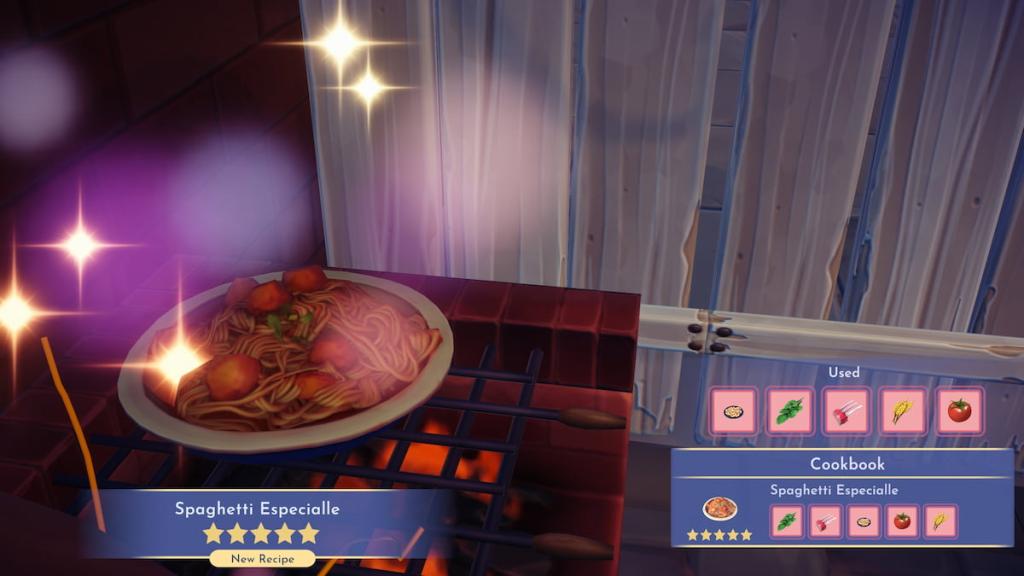
Spaghetti Especialle recipe in Disney Dreamlight Valley
With all of the clues now solved, you can get to work making Spaghetti Especialle with:
This dish is exclusive to the Canine Courtship quest, so it's not one you'll be able to repeat outside of it. Cooking and serving it up is crucial for progressing through the Realm's story, which moves you one step closer to unlocking Lady and Tramp. There's much more work to be done after making this meal, though, including other missions like The Jailbreak, Critters and Compassion, and Meatballs.
The post How to make Spaghetti Especialle in Disney Dreamlight Valley appeared first on Destructoid. | ||||||||||||||||||||||||||||||||||||||||||||||||
Destructoid Wednesday, February 11, 2026 1:18 PM
The Shove Off Evolution is now live in FC 26, and you can use it to upgrade two cards of your choice in Ultimate Team.
The latest evolution is well-suited for creating evolution chains. It offers a minor overall boost, decent stat boosts, and new playstyles. Let's look at the best candidates you can include in this evolution based on the requirements and the upgrades.
Table of contents
FC 26 Shove Off Evolution requirements
Here are the requirements for Shove Off Evolution in FC 26.
FC 26 Shove Off Evolution upgrades
The Shove Off Evolution has only one upgrade level. To obtain the boosts, you'll need to complete specific tasks.
Level 1 upgrades
Level 1 upgrade requirements
Best players for Shove Off Evolution in FC 26
You can include a wide variety of items in this evolution. I have included cards that are best fitted for the offered upgrades.
It's a decent evolution with pretty good stats and playstyles. Some of the upgraded cards should be eligible for future evolution chains. However, the entry requirement could have been higher, as we can only include cards rated up to 86. Allowing 87-rated cards in this evolution will have raised their potential utility for Ultimate Team players.
The post Best players for FC 26 Shove Off Evolution appeared first on Destructoid. | ||||||||||||||||||||||||||||||||||||||||||||||||
Destructoid Wednesday, February 11, 2026 1:06 PM
Apex Legends Season 28 has plenty of exciting content to try out, but the 7th Anniversary celebrations offer you plenty of freebies.
To celebrate the occasion, there's a new Milestone event available for all. The event has its own set of rewards you can get. If you grind the complete season, there will be plenty of stuff to unlock. Let's look at everything that's on offer as part of the 7th anniversary.
Table of contents
All Apex Legends 7th Anniversary Milestone Collection event rewards
The Milestone Collection event offers plenty of unique rewards that range from weapons to legends.
Weapons
Legends
That's not all, since there's a community rewards track that also features more skins.
All the skins available on the free rewards tracker can be earned by completing tasks on the Challenges tab. More tasks will be available in the upcoming weeks, allowing you to get all the available rewards. The free rewards tracker also includes banners and other in-game items that you can add to your collection.
How to unlock legends in Apex Legends 7th Anniversary
The 7th Anniversary events also offer you four legends that you can unlock permanently. All four of Valkyrie, Revenant, Conduit, and Sparrow are free. To unlock them, you'll have to complete four weekly challenges. Each weekly challenge will have three smaller tasks. Complete all the tasks each week to unlock the available legend for free.
The post All Apex Legends 7th anniversary rewards and how to get them appeared first on Destructoid. | ||||||||||||||||||||||||||||||||||||||||||||||||
Destructoid Wednesday, February 11, 2026 12:21 PM
Khal Drogo, Aquaman, Duncan Idaho, and soon, a Helldiver.
Jason Momoa has been tapped to star in the upcoming Helldivers film adaptation from Sony Pictures, according to a new report from Variety. The movie based on the popular co-op alien-shooting PlayStation franchise will release in November 2027.

No other roles or actors were announced at this time, but the movie will be helmed by Justin Lin of Fast & Furious fame. And so PlayStation is continuing its assault on live-action media, following shows like The Last of Us and Twisted Metal, and movies like Uncharted.
Sony's shows and films have been hit or miss when it comes to critics and fans, but Helldivers seems like it could be a natural translation to the silver screen. A bunch of soldiers diving into dangerous planets to fight robots and aliens? CGI galore, lots of action, and some comedy along the way? Yeah, I can see it.
The tongue-in-cheek propaganda and satire within the Helldivers games seem like a good fit for Momoa, who's proven himself able to play action roles with a silly sense of humor attached. His career kicked off with the big Khal Drogo role in Game of Thrones 15 years ago, but he's since tackled iconic characters across a variety of big franchises, so I think he's suited just fine for the IP.
The cool thing about a Helldivers movie is that it doesn't necessarily need a stunning plot, and can be carried by the action and comedic tone alone. But anything is possible, especially considering the movie's scriptwriter. It's Gary Dauberman, who's known for horror films such as It, It Chapter Two, and The Nun.
Color me curious. But for now, maybe set aside some time next November to check the flick out, especially if you're a fan of the game series.
The post Helldivers movie to feature Game of Thrones, Dune star known for both action and comedy appeared first on Destructoid. | ||||||||||||||||||||||||||||||||||||||||||||||||
Destructoid Wednesday, February 11, 2026 12:06 PM
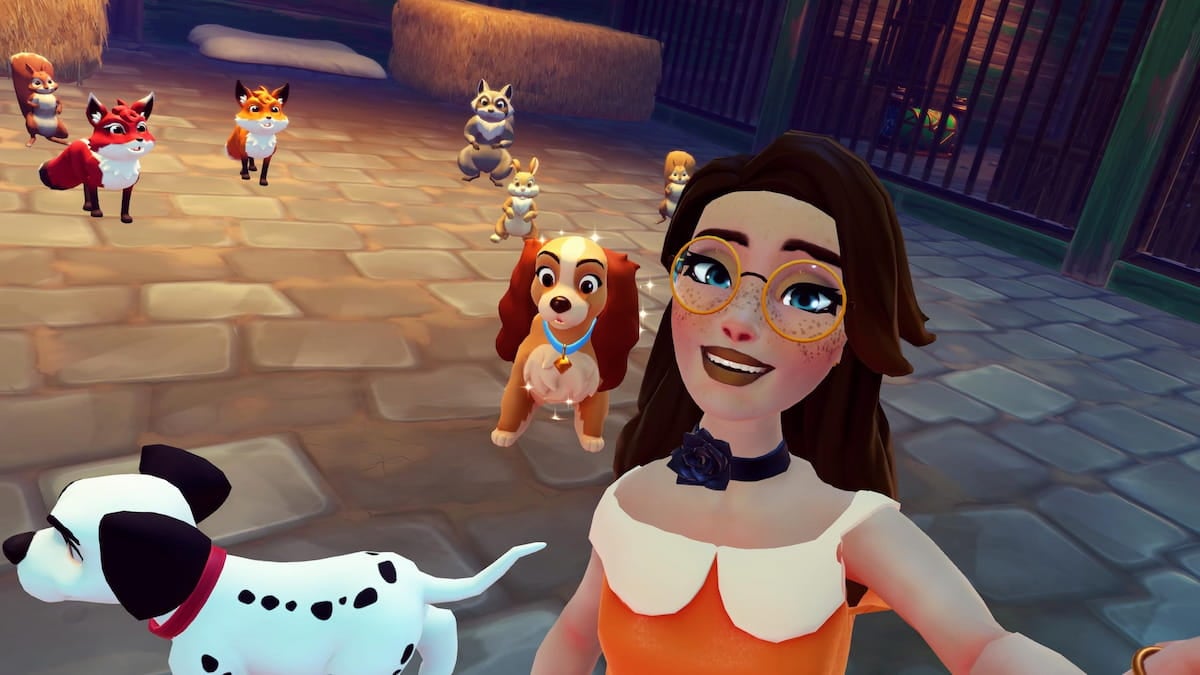
Tramp has officially joined the village, but Lady is still back in the Realm in Disney Dreamlight Valley. To get her to join, you'll need to help her with some unfinished business in the Critters and Compassion quest.
There's already a home waiting for Lady in the valley, and Tramp is quite worried about her, so getting her out of the Realm as soon as possible is essential. Here's a complete walkthrough for the Critters and Compassion quest in Disney Dreamlight Valley.
Table of contents
How to complete Critters and Compassion in Disney Dreamlight Valley
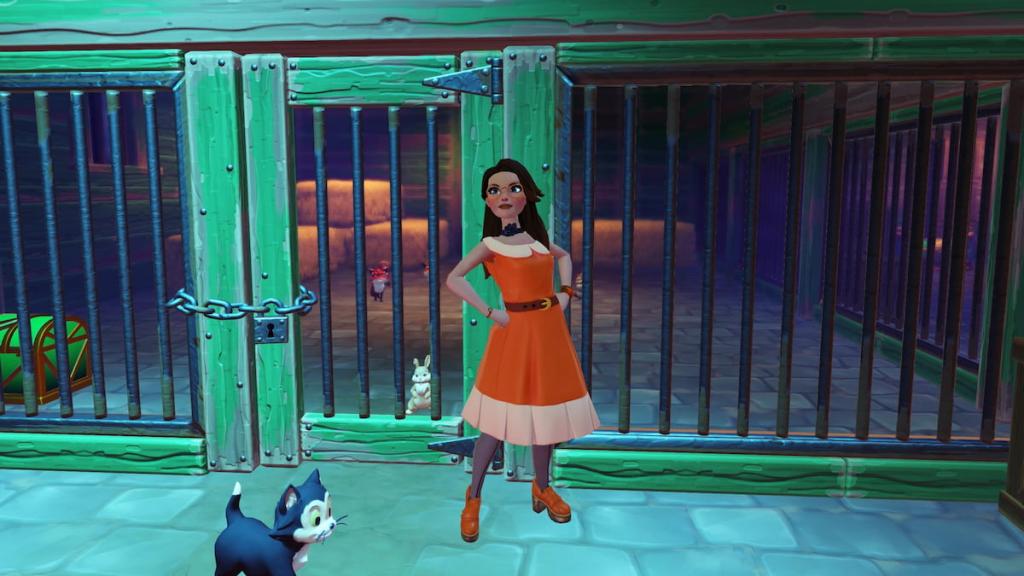
Talk to Lady
First up, you need to figure out why Lady stayed behind while Tramp was unlocked as a villager. You can find her in the fenced-off area behind Tony's, in between the crafting station and the dinner table. Chat with Lady to see what's going on. She wants to go back to the pound and rescue all of the trapped animals inside.
Re-order the jumbled memory
Lady is feeling hopeless about the situation, so you're seeking a way to cheer her up. A fragmented memory appears, but it's all jumbled and out of order. Luckily, the pieces can be put together to fix it.
A new re-ordering of memories gameplay mechanic is introduced in this step of the quest. If you're familiar with re-ordering stories through The Storybook Vale DLC, you have a solid idea of what needs to be done here.
Approach the golden glowing orb a few feet away from Lady and interact with it to start the process. Click each piece and rotate it around until you figure out where it should go in the puzzle. If you're having trouble with it, check the image below to see where each piece fits.
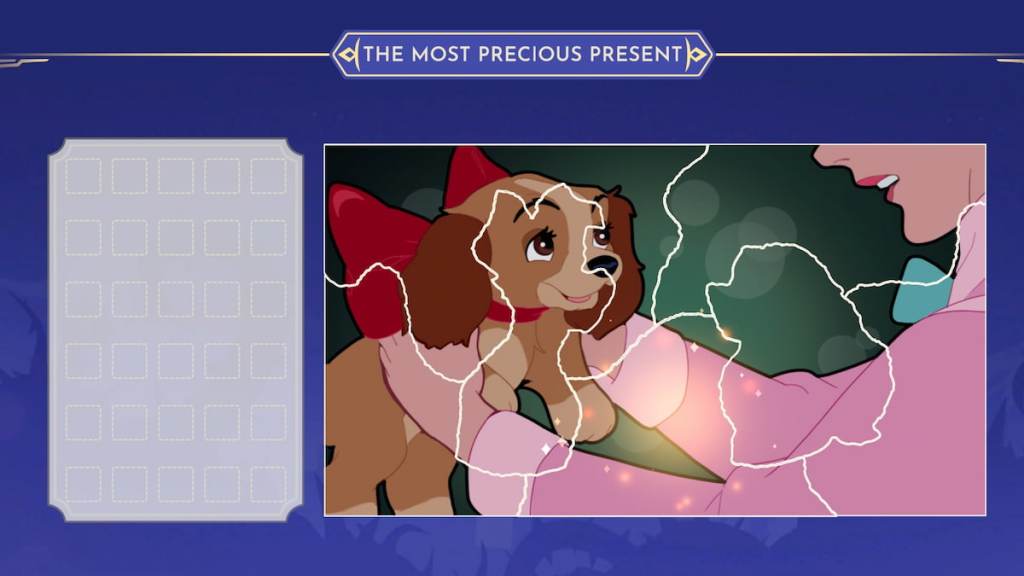
Once you're done piecing together the fond memory, chat with Lady about it. She's feeling a lot more optimistic now, so head back into the dog pound with her so you can get to work freeing the animals. Talk to her again in front of the kennel, where the animals are locked inside, to figure out a plan.
There's no key anywhere nearby to unlock the kennel, so you'll have to make one. Start by taking a picture of the lock so you can work with Lady to figure out what'll work to get you through. Talk to Lady after you're done, then exit the dog pound to search around, and chat with her once more.
Find and collect five Giant Cheeses
Cheese is the perfect consistency for the key you want to craft, so you now need to search around the Realm to find five Giant Cheeses. All five cheeses can be found sitting on the ground around the area.
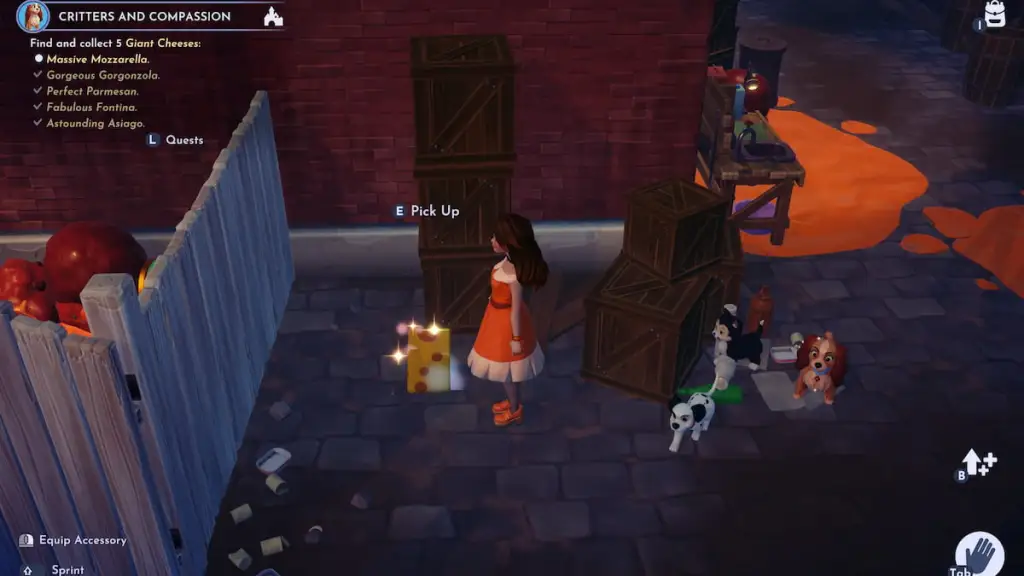
Cook Magical Melted Cheese
Once you've found all five cheeses, head to the oven in the fenced-off area behind Tony's, close to the dinner table. Interact with it to toss in the five cheeses and cook some Magical Melted Cheese. Then, talk with Lady nearby to see if she found anything useful to go with it.
Craft the Cheese Key
Interact with one of the crafting stations and switch over to the Functional Items page to locate the Cheese Key recipe. Craft this item and head back into the dog pound with Lady. Chat with Lady, then interact with the locked gate in front of the trapped animals to slot the key into the hole and free them. Head inside the kennel, then chat with Lady to discuss what comes next.
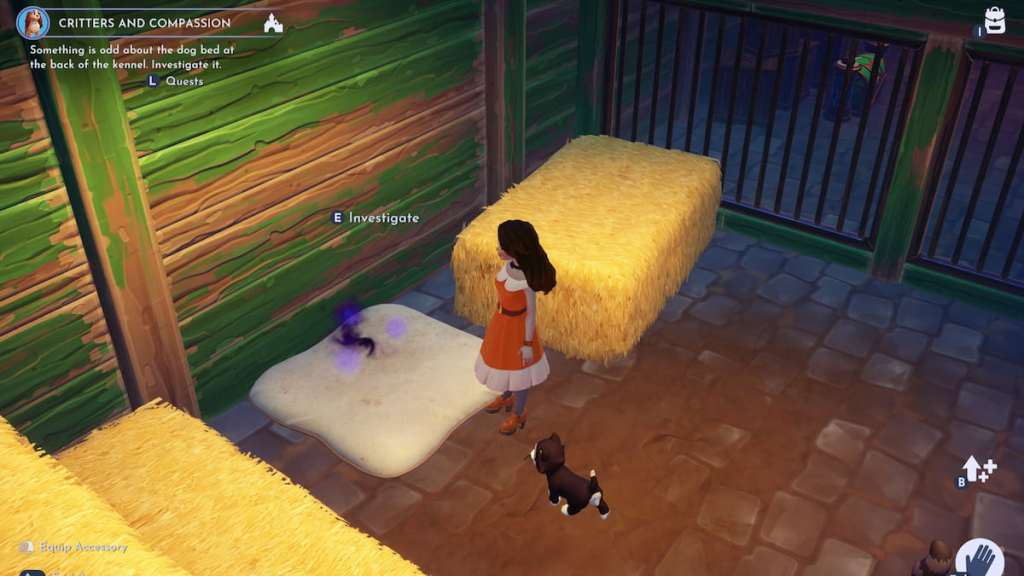
Investigate the dog bed at the back of the kennel
The animals are free, but you decide to look around before leaving. As you do, a strange cloud appears on a dog bed at the back of the kennel. Approach and interact with the dog bed to reveal a message that seems to be tied to the dog collar you recovered in a previous mission with Lady and Tramp. Chat with Lady about what you found, then exit the dog pound with her.
Use your Pickaxe to break through to the Realm exit
While you were inside, the spaghetti storm got a whole lot worse and is now blocking your way to the exit. Equip the Substitute Snout you made during The Jailbreak mission, then grab your Royal Pickaxe to start slashing your way through the pasta mayhem. Follow the scent clouds to find the exit and chat with Lady once you both reach it.
As soon as you exit the Realm, Lady will officially join the village. Talk to her once she's there, and Tramp will arrive to reunite with both of you and catch up on what's going on. As soon as the conversation is complete, the Critters and Compassion mission is finished. Things may seem settled for a bit, but their arrival has also brought some fresh chaos to the valley, which you'll learn upon opening Merlin's letter in your mailbox and starting The Spaghetti Incident quest.
The post Critters and Compassion quest walkthrough in Disney Dreamlight Valley appeared first on Destructoid. | ||||||||||||||||||||||||||||||||||||||||||||||||
Destructoid Wednesday, February 11, 2026 12:01 PM
The island you can traverse around and explore in Starsand Island is quite large, so getting around can take a while. This may have you seeking a quicker way to get around, specifically, how to fast-travel.
There are many different ways to get around the island, but some methods are much faster than others. You'll want to learn what all of your options are and how to efficiently use them as soon as possible so you can make better progress. If you're looking for the overall quickest way to get around, here's how to fast travel in Starsand Island.
Table of contents
Can you fast travel in Starsand Island?
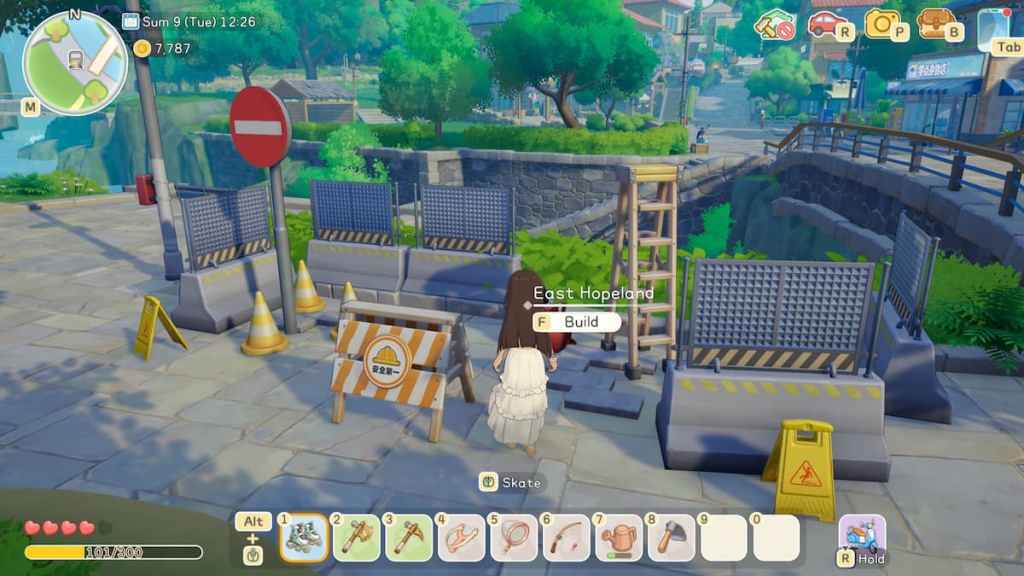
You can eventually fast travel in Starsand Island, but this option isn't available to you early on and requires a decent amount of progression to unlock. While you work to unlock this feature, you can get around more quickly with a skateboard or roller skates, but you won't be able to instantly teleport around to different spots until you do unlock it.
How to unlock fast travel in Starsand Island
Fast travel is unlocked by completing the Building Starsand Station quest with Solara. This is the second mission you get after reaching the Island Pro stage in your Island Life itinerary, right after helping Marston build the Maritime Bureau. If you don't have it yet, focus on getting through your Island Life missions until you eventually reach it.
Building Starsand Station quest in Starsand Island
To complete the Building Starsand Station mission and unlock fast travel, you'll need to:
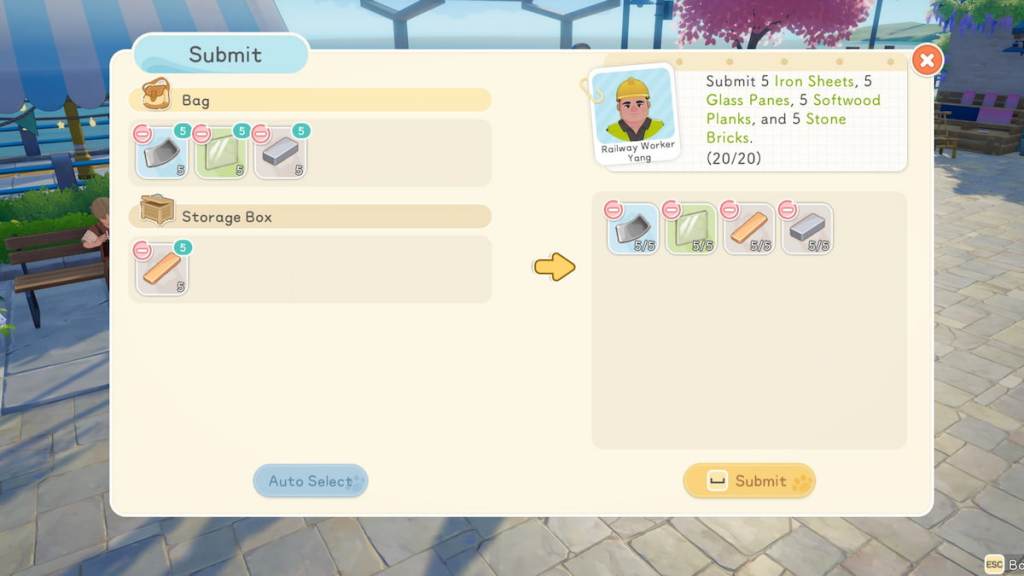
How to build fast travel stations in Starsand Island
After completing the entire Building Starsand Station quest, you unlock the ability to make fast travel stations around the island. Each one requires you to donate an array of key materials, though, so getting them all up and running takes time.
All fast travel stations you can build are marked with a train icon on the map. There are 10 different stations in total, all of which require the same building materials. To craft each one, you need:
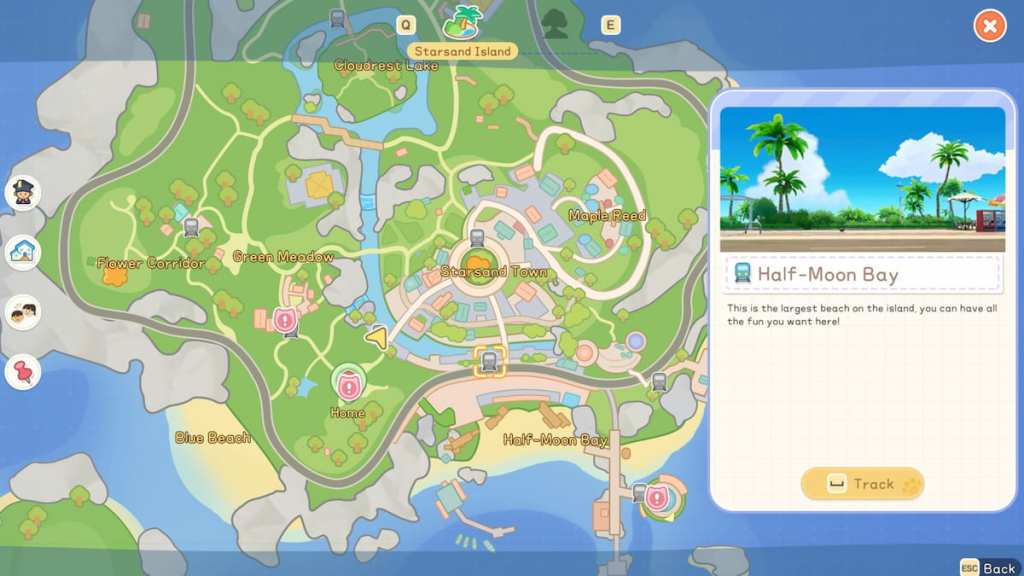
The fast travel stations require the same types of materials you used during the Building Starsand Station quest, but you need more of them to make these useful teleportation points. After gathering the required materials, make your way over to one of the fast travel spots marked with a train icon on the map.
Once you're there, interact with the station to open the donation box. Pass over all supplies you have to officially start the construction process. The station will then be built and usable for easy, fast travel the next day.
All fast travel points in Starsand Island
There are 10 fast travel points situated at different spots around the island.
How to use fast travel stations in Starsand Island
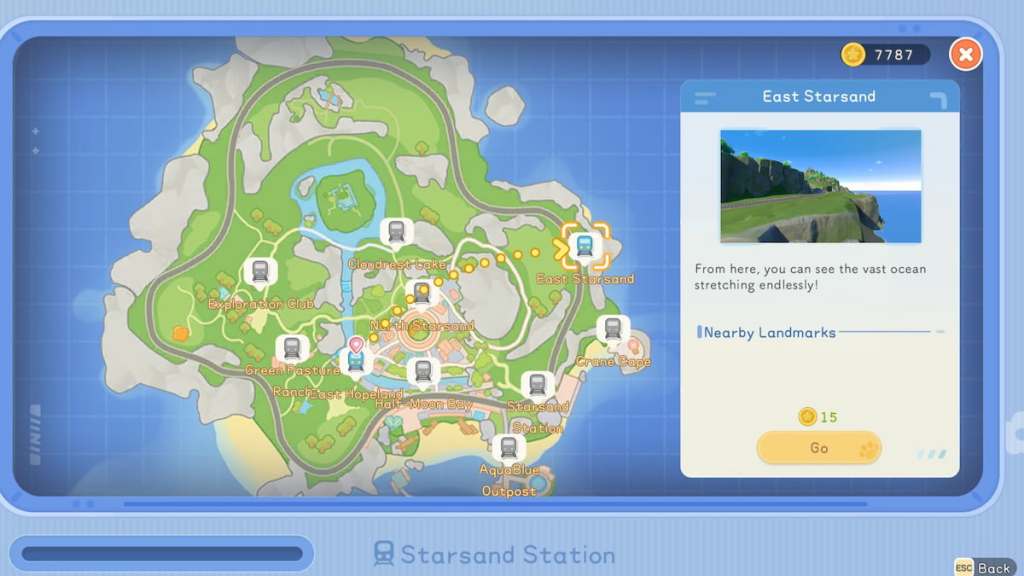
All fast travel stations are connected in Starsand Island, which means you can visit any one of them to then teleport over to another one of your choosing. Unfortunately, you cannot select fast travel points and teleport to them instantly from the map, so you will still need to make your way over to a station to initiate the fast travel process.
This means you need to have at least two stations up and running before you can use them. Luckily, you can build a station right near the front edge of your lot, making it quite easy to get around once you have it up and running. Traveling between stations costs 15 gold, too, so you'll need to pay the fee each time you wish to use this service.
The post How to fast travel in Starsand Island appeared first on Destructoid. | ||||||||||||||||||||||||||||||||||||||||||||||||
Destructoid Wednesday, February 11, 2026 12:01 PM
Crafting is one of the most essential tasks you'll regularly tackle in Starsand Island, and there are lots of key resources you need to do so. Copper Ore is one such material, and it can be rather tricky to locate at first, as you'll likely not know where it spawns.
All items have general fixed spawn locations, so after you gather them, they'll eventually reappear in the same area, allowing you to learn and memorize the right spots to hunt for them. Finding resources can be tough early on, but once you know where to look, it's much easier. Here's how to get Copper Ore in Starsand Island.
Table of contents
How to find Copper Ore in Starsand Island
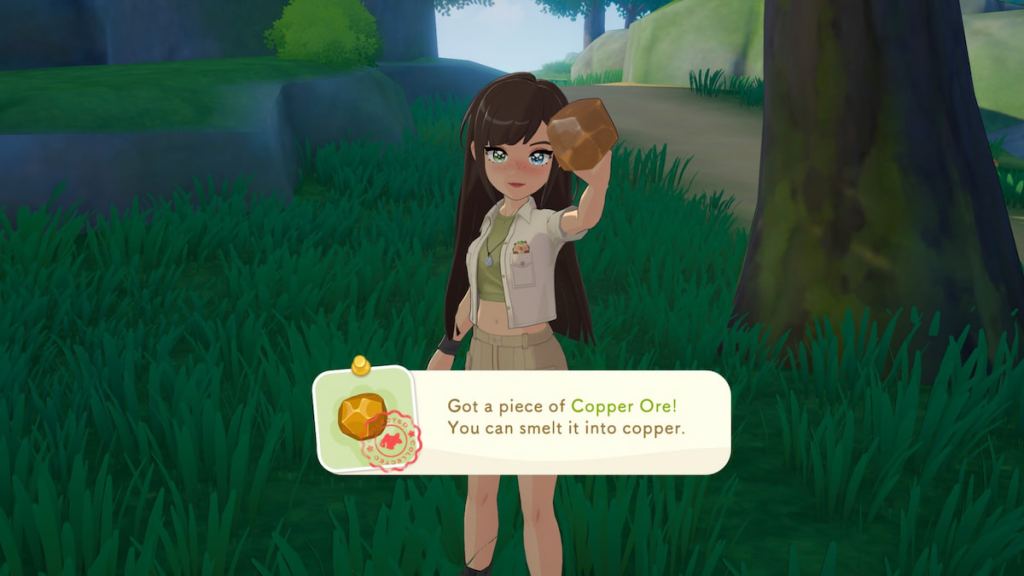
Copper Ore can be mined from Copper Ore rock nodes or found on the ground in the wild. Generally, the best way to get it is to search for rock nodes, as these have much more Copper Ore available to mine, and where there's one rock node, there's usually at least a couple more nearby. Any Copper Ore you find on the ground is usually just one or two pieces, which isn't a whole lot to work with.
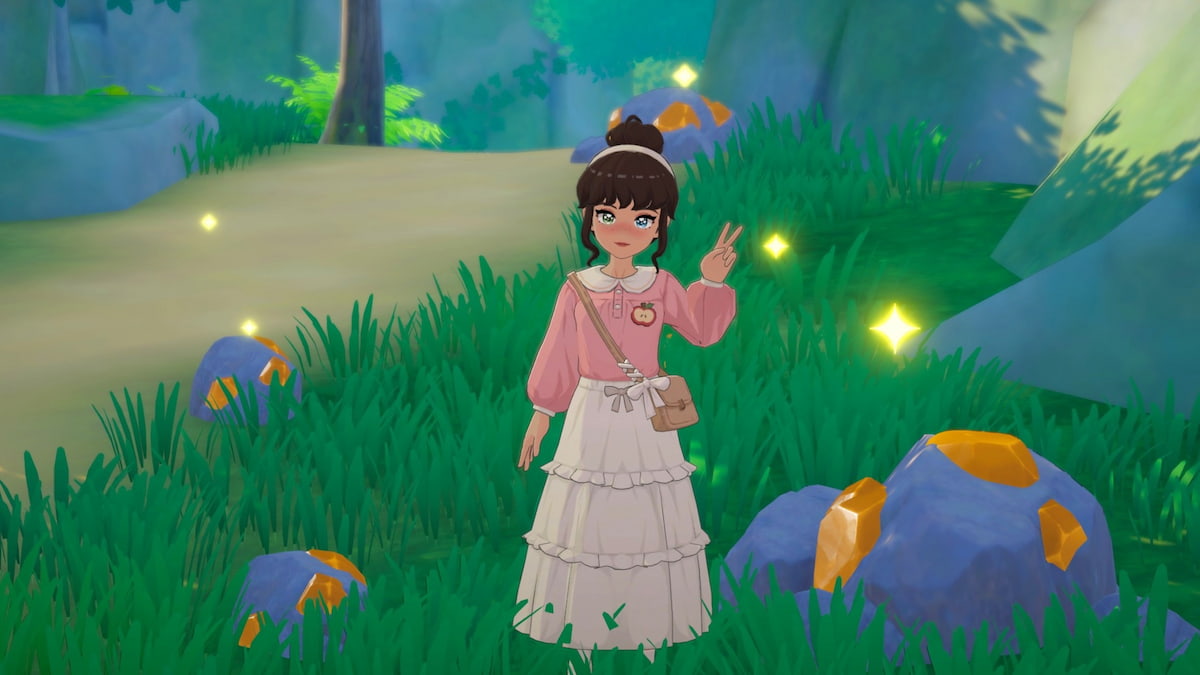
If you check your Islandpedia, it'll tell you that Copper can be found anywhere, but this doesn't seem to actually be the case, as I've scoured the main Starsand Island area and Moonlit Forest but only found it in a select few spots. This means you'll need to venture to specific areas if you want to stock up on this resource.
Copper Ore location in Starsand Island
Copper Ore can be found all around the wild, but is easiest to find in the Moonlit Forest area and is also decently abundant around the southern end of your house plot. Here are the best spots to go searching for this resource.
There may be additional spots you can venture to to find Copper Ore, but so far, these are the only ones we've found. We'll keep searching, though, and add any additional locations we find in the future here. For now, though, you can rest and revisit the same locations as needed to acquire more of this material.
How to get Copper Ingots in Starsand Island
Once you have Copper Ore, you can convert it into Copper Ingots using a Furnace. Each Copper Ingot costs four Copper Ore and one Charcoal to make, so you need quite a lot of Copper Ore to really stock up on this material.
The post How to get Copper Ore in Starsand Island appeared first on Destructoid. | ||||||||||||||||||||||||||||||||||||||||||||||||
Destructoid Wednesday, February 11, 2026 12:00 PM
The StarNote app has all kinds of important missions for you to tackle in Starsand Island, all of which help you earn Starsand to level up your Professions. One of the trickier quests to tackle from this menu asks you to open varying amounts of Gachapons.
The village in Starsand Island is quite large, with plenty of unique locations you can venture to. Tracking down specific items or areas can be tough because of this, as you're often not given much guidance about where to find what you're seeking. If you're struggling to figure out how to use this feature, here's how to find and open Gachapons in Starsand Island.
Table of contents
Where to get Gachapons in Starsand Island
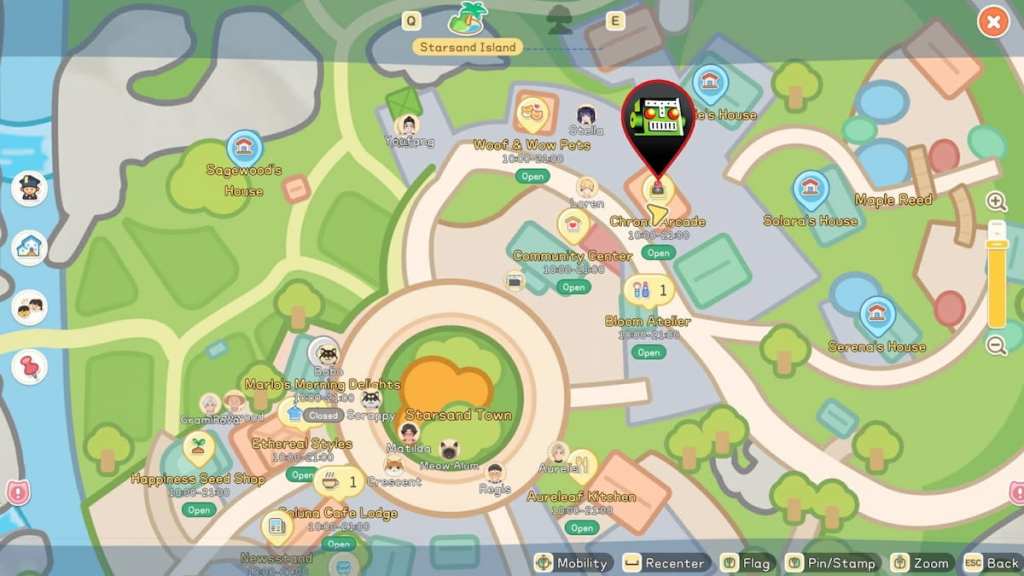
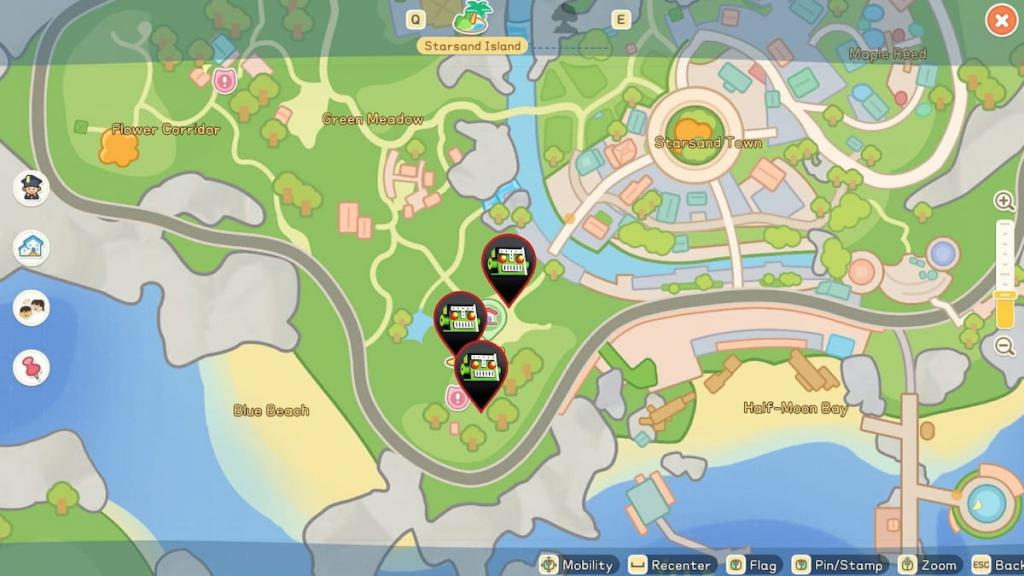
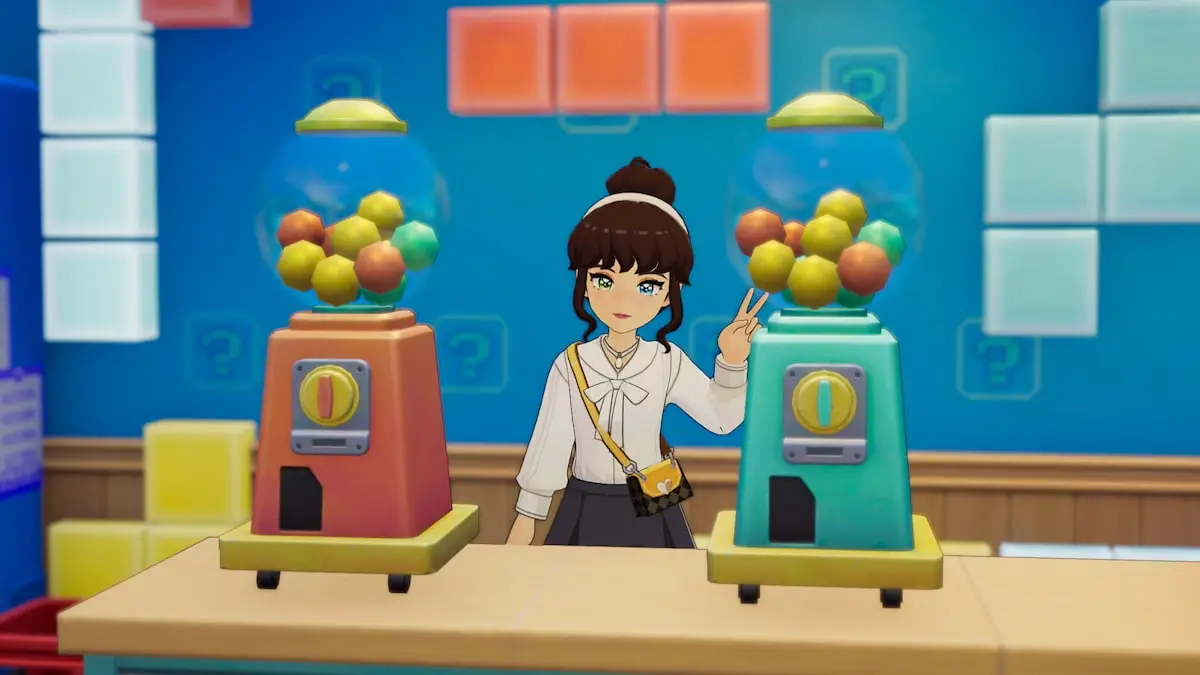
Gachapons can be found at Chrono Arcade, the business run by Loren located slightly northeast of the central Starsand Town area. Inside this building, you can find two Gacha machines sitting on the counter next to the cash register that you can interact with, and close to where Loren usually hangs out behind the counter.
Head through the front doors of the building, walk past the arcade machines in the middle, and over to the counter to spot the two Gacha machines. They're brightly colored and look like gumball dispensers, so once you're in the right area, it's easy to find them.
How to open Gachapons in Starsand Island
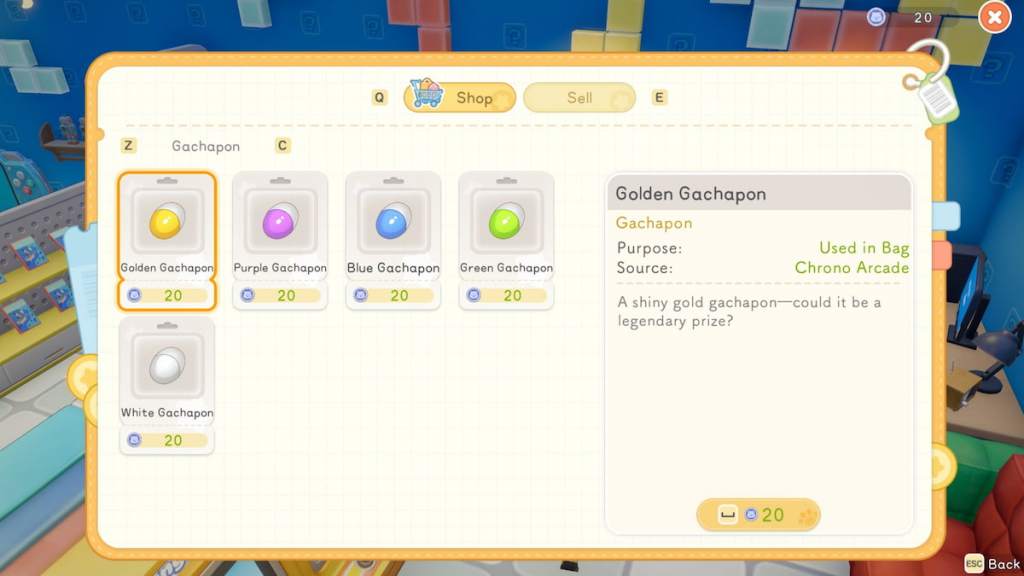
You can open any Gachapon by interacting with one of the Gacha machines, selecting one, and spending 20 tokens. There are five Gachapon variants, including the Golden Gachapon, Purple Gachapon, Blue Gachapon, Green Gachapon, and White Gachapon. They all cost the same price.
Once you've purchased a Gachapon, open your inventory and locate it. Then, open the submenu on the Gachapon to actually crack it open and reveal what's inside. Gachapons grant you random loot items as a reward, so there's no way to know what you'll find inside until you open one.
How to get tokens to buy Gachapons in Starsand Island
Tokens you can spend on Gachapons can be obtained from the cash register on the counter right next to the Gacha machines. You can grab 20 free tokens from the register each day, and spend 10 gold for each additional token you want to buy.
You'll also need these tokens to play the arcade games, so try to visit the arcade frequently to obtain and use this currency. There are lots of prizes locked behind Gachapons, and getting high scores in the games, which means you'll want to make use of the tokens you get quite often.
What do Gachapons give you in Starsand Island?
Gachapons give you all kinds of random loot in Starsand Island. You can essentially think of them as mystery boxes that can contain just about anything, including ores like Tin or Copper, new crafting recipes like the Wok Spatula, resources like Stone, and other such goodies. The loot you get is entirely unpredictable, so how good or bad your prize is will vary each time.
The post How to find and open Gachapons in Starsand Island appeared first on Destructoid. | ||||||||||||||||||||||||||||||||||||||||||||||||
Destructoid Wednesday, February 11, 2026 12:00 PM
Starsand Island offers a vast, cozy world to explore, and this lively environment is rich with essential resources you'll need to stock up on. You'll quickly run out of storage, but luckily, you can increase your bag space to gain additional room.
Upgrading your bag space early on is crucial, as there are quite a few levels to this system, and you'll want to work your way through them as quickly as you can so you can avoid situations where you might be exploring and run out of room. You're never told how to actually do it, though, so here's how to increase bag space in Starsand Island.
Table of contents
How to get more bag storage in Starsand Island
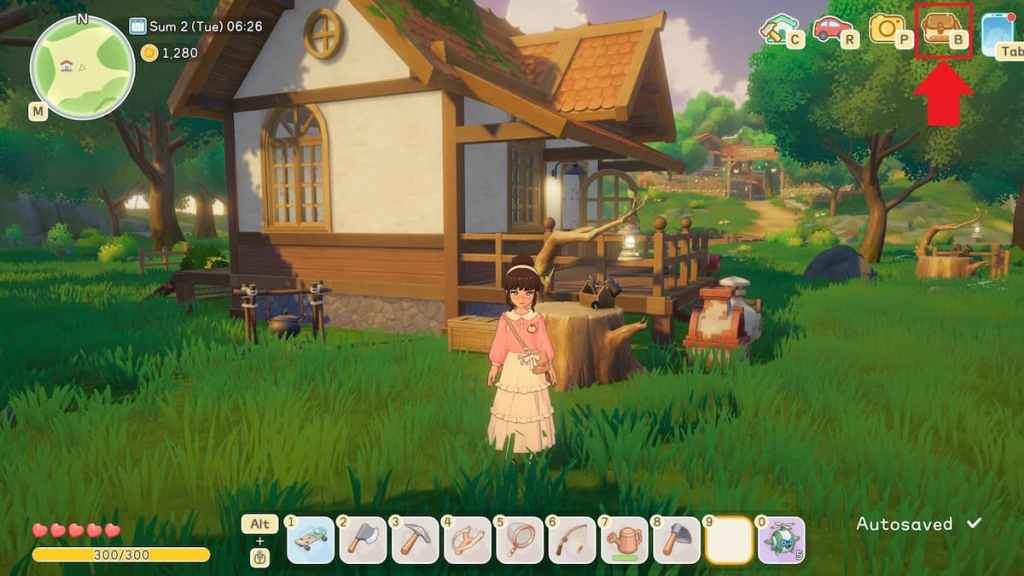
You can increase your bag space by selecting the "Expand" option on your bag and spending the required materials. This process is a bit tricky to figure out the first time around, as there are loads of different tabs and options to choose from in your bag, so here's a full breakdown of how to get it done.
As soon as you spend the required resources, your bag will instantly be upgraded. You can upgrade it at any time, anywhere, even if you're on the go, as long as you have the materials to do so. As you get to the higher-level bag upgrades, though, you'll likely need to craft materials, which means you'll need to find crafters and other machines to get the upgrade resources you're after.
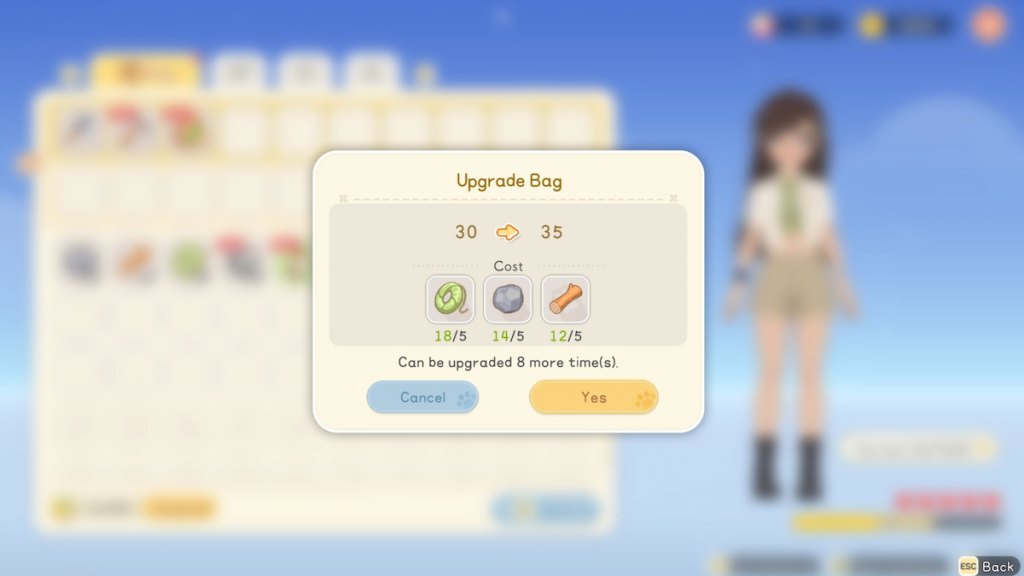
All bag upgrades in Starsand Island
In total, there are eight bag upgrades you can unlock for Starsand Island. Each new upgrade adds additional slots to your bag and costs a varying amount of unique resources. We're working on unlocking all of them and will update with everything you need to know about each one here as we do.
What's the maximum bag space in Starsand Island?
The storage cap on your bag is 70, which is unlocked once you apply the eighth and final bag upgrade. When you first start playing, you only have 30 slots, but this number steadily increases as you work your way through the upgrades. For additional storage, you'll need to craft and place chests on your home lot.
The post How to increase bag space in Starsand Island appeared first on Destructoid. | ||||||||||||||||||||||||||||||||||||||||||||||||
Destructoid Wednesday, February 11, 2026 12:00 PM
Upon arriving in the village in Starsand Island, you'll be tasked with mastering various important Professions to hone your skills. It's up to you which one you choose to Apprentice first, and what order you take up the rest in, which is a crucial series of decisions to make.
Although all Professions are important, some are fundamental for early gameplay, while others aren't really needed until later on. Choosing the best path to work through them is essential if you want to swiftly progress, so here's the best order for learning Professions in Starsand Island.
Table of contents
All Professions in Starsand Island
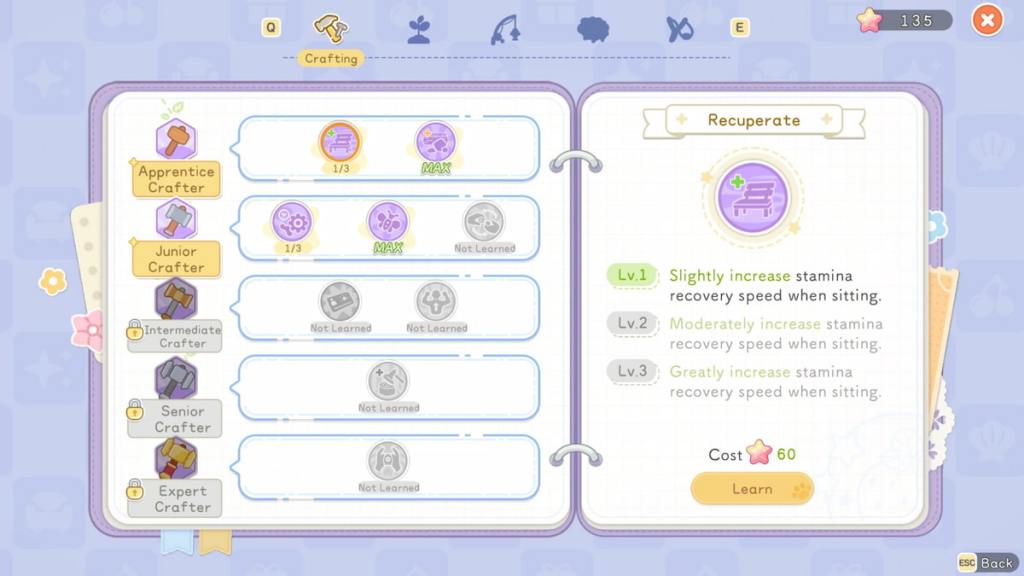
There are five Professions you can learn and become better at over time in Starsand Island:
Which Profession should you learn first in Starsand Island?
The Profession you should focus on first is crafting, as it's fundamental for just about every activity you can perform in Starsand Island, including many tasks that are featured in other Professions. The learning order you choose for the rest of the Professions is a lot more flexible and open to your own preferences, but for the first one, grabbing crafting is a must.
Best order for learning Professions in Starsand Island
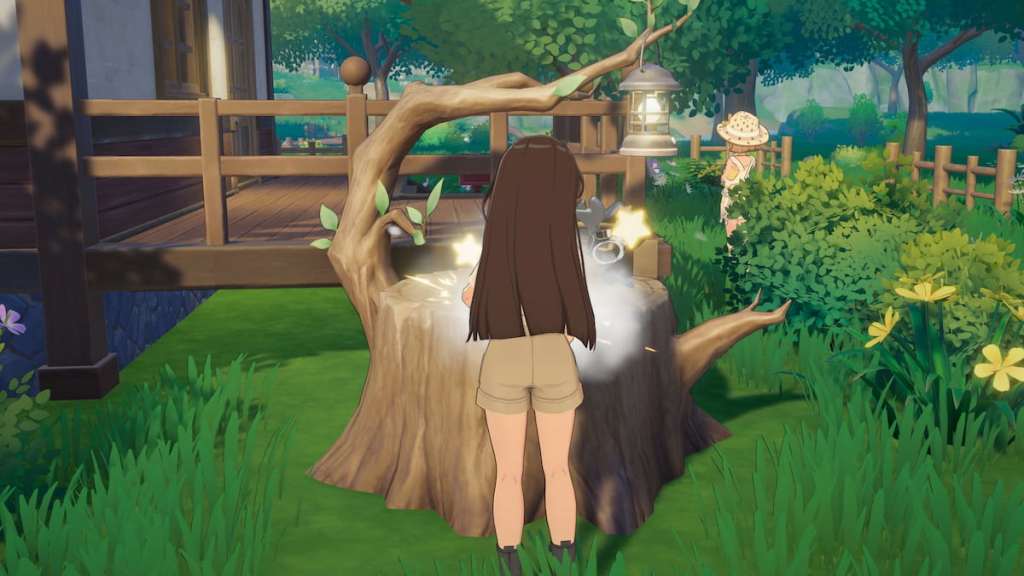
1) Crafting
By far the most essential Profession to focus on apprenticeship for first is crafting. Building this skill not only unlocks more items for you to craft, but also upgrades various important supply gathering activities like mining and chopping.
Stocking up on key resources is a large part of all Professions and tasks, so building crafting right away ensures you can swiftly unlock key abilities in the Workpedia tree, like Efficiency Boost, to gather more wood when chopping and ores when mining. The sooner you become an apprentice, the better, since the upgrades and unlocks you get will make long-term gameplay much easier.
2) Farming
The second Profession you'll want to work on is Farming, mostly as a fast and efficient way of passively making money. Planting and growing crops is quite simple and very lucrative, especially when you're just starting out. You'll often find seeds while exploring or gain some back when harvesting, which means it can even be a pure profit activity if you're lucky.
Buying seeds when needed is still well worth it, though, as they're fairly low-cost and always guarantee a nice gold sum for your growing efforts. Tilling is very energy costly before you become a farming apprentice, but the first upgrade you can unlock has three stages that help make it less expensive, allowing you to swiftly improve your abilities and make the most of this skill.
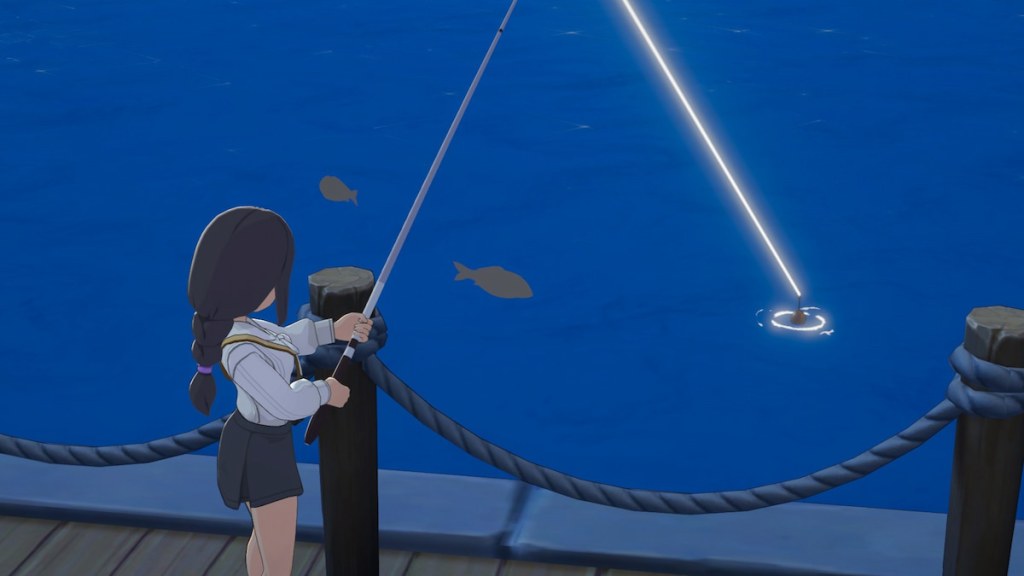
3) Fishing
Fishing is quick, easy, and a superb way to make money, making it an especially useful skill to master early on so you can stock up on lots of gold. I overlooked it a bit at first, but once I got into it, I couldn't stop, as it might be the best way to earn money. You need gold to buy new crafting recipes for just about every Profession, so honing your fishing skills early on so that you have loads of fish to sell makes upgrading all other abilities much easier.
4) Ranching
Ranching is a pretty important Profession, but it's one that requires a lot of other resources to really progress in, so it's not one of your top priorities early on. You may be tempted to take it up sooner since the animals you can have helping you around your house are quite cute, but if you don't have a healthy stock of supplies and gear already good to go, taking care of them will be very difficult.
Because of this, it's best to put it off until after you've put in decent work on the other three Professions listed above this one. Ranching gets you access to lots of important animal products, and apprenticing this skill does make it easier, but it's still a lower focus than most other jobs you can work on mastering.
5) Exploring
The least important Profession to work on early on, and the one you should work on becoming an apprentice in last, is exploring. This field is essentially devoted entirely to combat, which isn't something you'll be doing much of early on unless you really seek it out.
There are far more important tasks to focus on in the main town, such as setting up your house, befriending characters, and finding consistent ways to make gold, none of which require you to engage in combat. You also have to venture away to a new area to even find foes, so although you will eventually want to work on becoming an exploration apprentice, you don't need to worry about it until all of the other jobs have already been worked on.
The post Best order to learn Professions in Starsand Island – Apprentice progression guide appeared first on Destructoid. | ||||||||||||||||||||||||||||||||||||||||||||||||
Destructoid Wednesday, February 11, 2026 12:00 PM
To make progress in Starsand Island, you'll need to buy many different items. Everything is quite costly, which means you'll have to find ways to earn gold. You're never actually told how to sell items, though, so it can be tough to figure out on your own.
You'll be gathering items worth selling consistently, like crops and fish, so ensuring you also have the means to exchange them for funds is crucial, especially when you're just starting out and need lots of money to buy essential items. If you're looking to get rid of some goods you have on hand, here's how to sell items in Starsand Island.
Table of contents
How to sell in Starsand Island
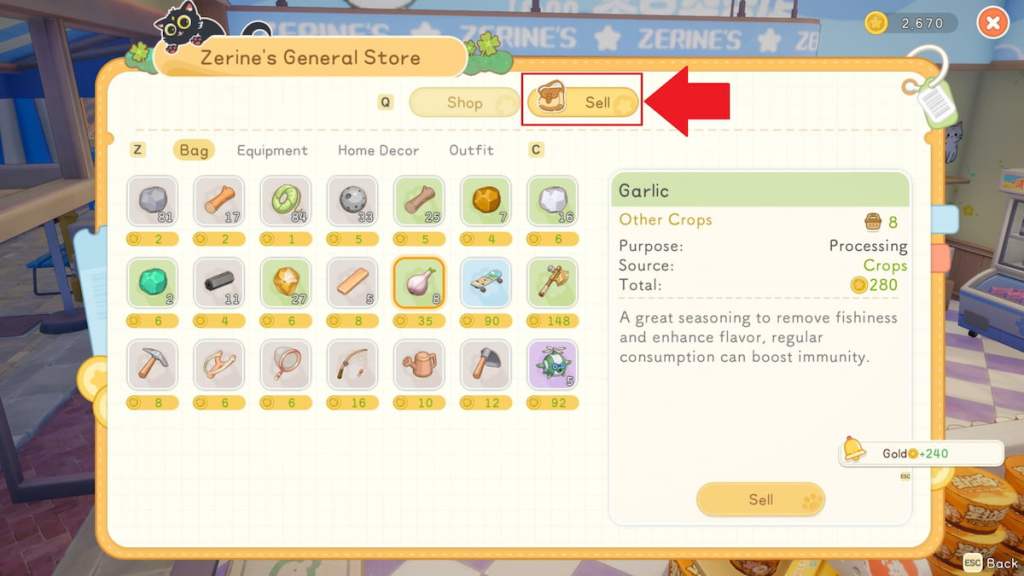
There are two ways to sell items in Starsand Island, which are to visit a shop and select the "Sell" option, or use the Quick Shipping Box to get rid of items on your home lot. You won't have access to the latter right away, and only some locations you can visit allow you to sell goods, so it can take a bit to figure out how this process works.
Early on, your only way to sell items is to visit a store. Generally, it's easiest to head over to Zerine's General Store to sell anything and everything you wish to get rid of for gold. This shop is just on the other side of the bridge, in front of your house, right at the edge of town, so it's close and easy to find.
If you're out and about, there are other shops you can sell at, too, including locations like the Happiness Seed Shop, the Green Pasture Ranch, and Woof & Wow Pets. Generally, anywhere you find a cash register to shop from, there's also the option to sell anything you want to get off your hands.
At all shops that have the selling option, you simply need to interact with the cash register or the NPC who runs the store, select the Shop page, and locate the "Sell" option near the top middle area on your screen. This will open your bag, displaying how much each item is worth and allowing you to select any items you want to get rid of. While on the go, you cannot access and sell items that are stored in chests on your home lot, but you can still sell furniture from your storage.
How to sell items from your home lot in Starsand Island
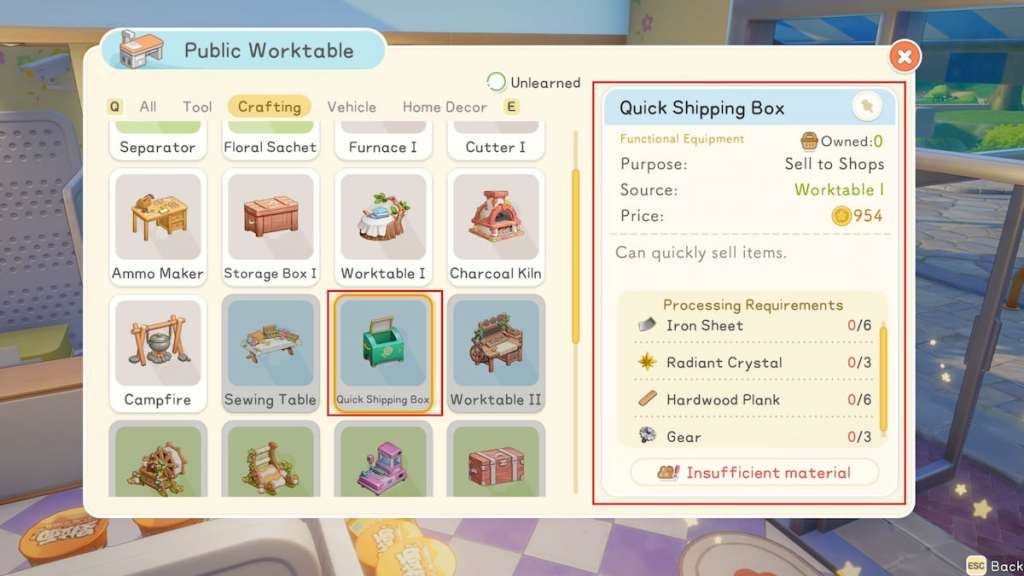
You can eventually craft and use a Quick Shipping Box to send off any items you want to sell directly from your home lot. The blueprint for this item can be purchased from Zerine's General Store for 3,500 gold once you've honed your crafting Profession a bit, but even then, you'll still need to gather quite a lot of resources to make it.
To craft a Quick Shipping Box for your home lot, you need:
Once you have everything you need, the Quick Shipping Box can be crafted at a Workbench. You can then place and interact with it on your home lot at any point to ship off items you wish to exchange for gold.
The post How to sell items in Starsand Island appeared first on Destructoid. | ||||||||||||||||||||||||||||||||||||||||||||||||
Destructoid Wednesday, February 11, 2026 12:00 PM
As you work through the many missions you're given, you'll regularly be tasked with finding all kinds of important items in Starsand Island. One of the tougher resources you need to learn how to get and use is Common Ore Chunks.
This material is a useful way to get your hands on some surprise goodies, including exclusive items you can't find anywhere else, like Ancient Precision Parts. Figuring out where to actually find them and how to reveal what's inside is fairly tricky, though, so here's how to get and use Common Ore Chunks in Starsand Island.
Table of contents
Where to find Common Ore Chunks in Starsand Island
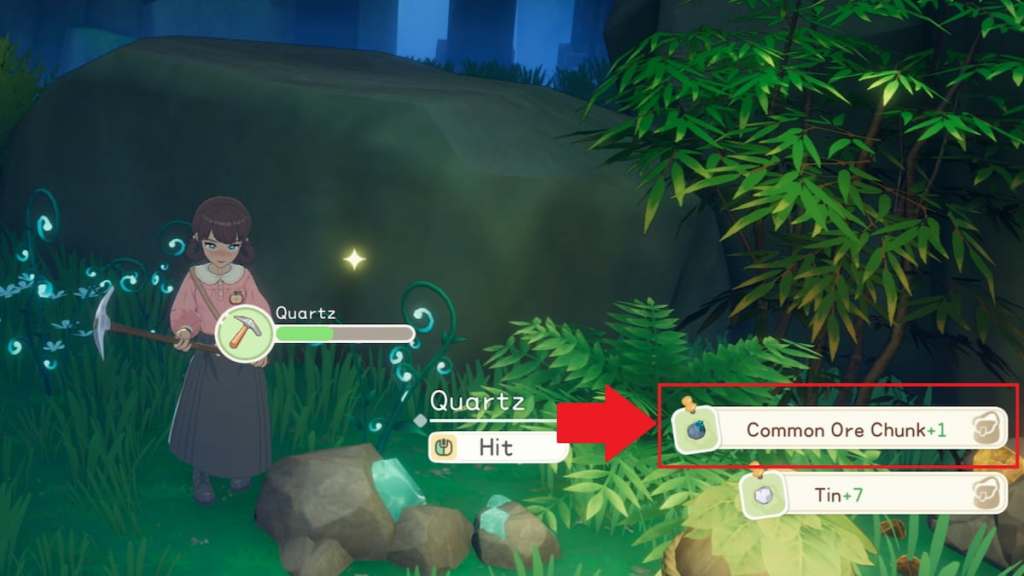
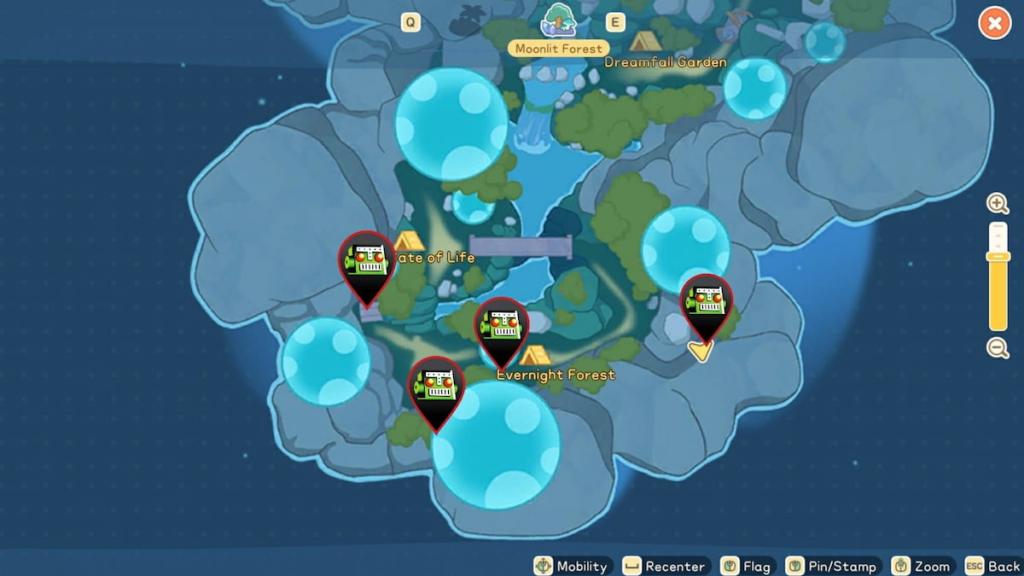
Common Ore Chunks can drop randomly while mining anywhere in Moonlit Forest. They're not guaranteed, but can be included in the collection of ores you get when a rock breaks in this area. There's no way to tell if a rock you're hitting will have one until you collect the items that dropped from it.
If a Common Ore Chunk drops, you'll spot a pop-up with this item named in the bottom right corner. The rock you hit will have other dropped loot, too, so the Common Ore Chunks will be listed among the items you collect from it.
Although you can mine some materials, including Copper Ore, around the main Starsand Island area, you'll never find Common Ore Chunks here. They're exclusive to the Moonlit Forest area, so venturing to this special region is crucial if you're seeking them.
Moonlit Forest location in Starsand Island
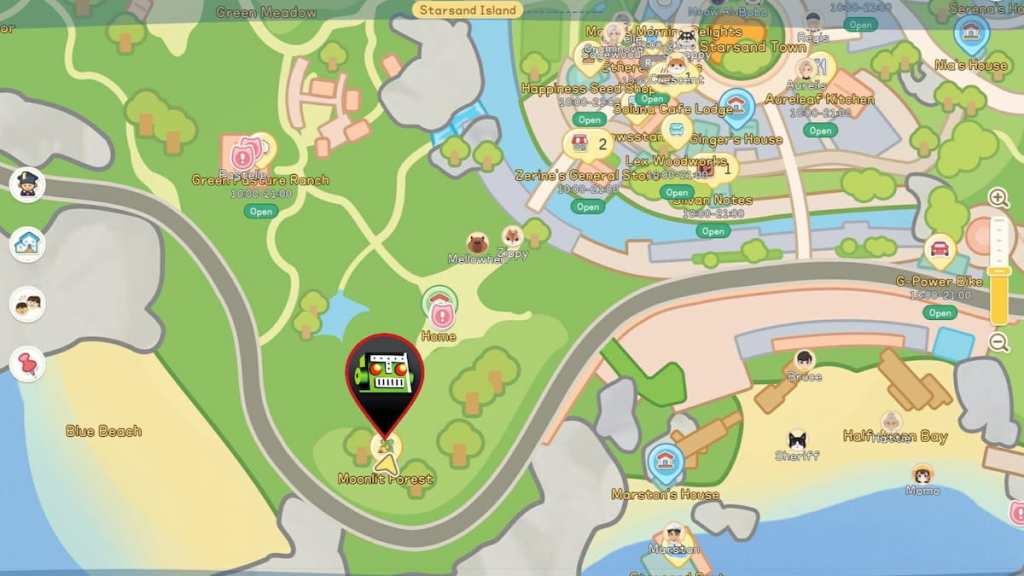
To access Moonlit Forest, you need to break and venture through the stone gate behind your house, near the southwest corner of the island. You gain the means to break and open this gate during the Warm Light mission, which you can accept from the Request board in front of the Community Center shortly after unlocking this feature.
If you don't have this quest yet, keep working through the main Island Life goals and upping your Profession levels until you eventually get a pop-up telling you to accept it. Be sure to bring your slingshot with you to the gate, as you need this tool to break it open.
How to open Common Ore Chunks in Starsand Island
Common Ore Chunks have no function on their own, but can be opened using an Ore Analyzer to reveal hidden items within. You can buy the recipe for this item from Zerine, then craft it at a Worktable using eight Hardwood and two Copper Sheets.
To unlock and craft this powerful item, you need to level up the crafting Profession. This is done by working through the missions Zerine gives you, as she's the mentor for this skill. As long as you focus on getting her quests done and enhancing your crafting abilities, you'll swiftly reach the mission where she has this recipe available for you to make.
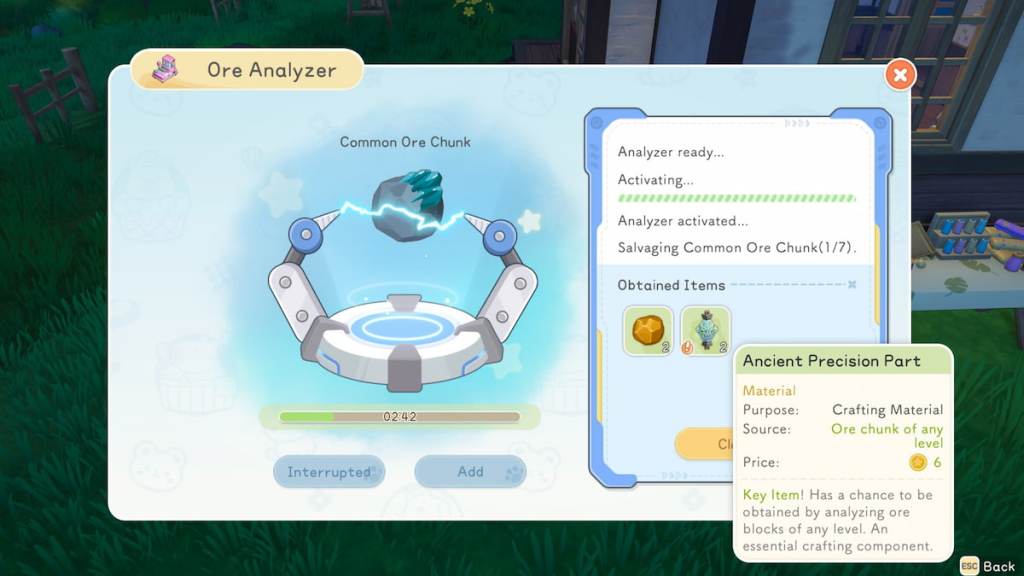
Once you have the Ore Analyzer crafted and placed on your lot, interact with it to add any Common Ore Chunks you have. Start the process, then wait for the listed amount of time for it to complete. Check the machine again to claim what was found inside the Ore Chunk.
What do Common Ore Chunks contain in Starsand Island?
Common Ore Chunks contain a wide variety of items, including easily found goods like Stone, as well as rarer ores like Copper, and even exclusive resources you can't get any other way, like Ancient Precision Parts. The materials you get from each one are random, so some Common Ore Chunks offer better goods than others.
The post How to get and use Common Ore Chunks in Starsand Island appeared first on Destructoid. | ||||||||||||||||||||||||||||||||||||||||||||||||
Destructoid Wednesday, February 11, 2026 12:00 PM
As you settle into your new life on Starsand Island, you'll reconnect with lots of characters you knew from your time there as a child, many of whom are now grown adults you can build a life with. There are lots of NPCs to meet around the island, but only some of them are actually romanceable.
It's not super clear which characters you can woo and which are only friends, so you may be unsure what your options are. You'll want to know who you can date as soon as possible so you can steadily work on bestowing them with gifts and chatting daily to boost your bond, so here are all of the romanceable characters in Starsand Island.
Table of contents
All romance options in Starsand Island

As of the time of writing, there are 15 romanceable characters in Starsand Valley. This number will likely be expanded upon in the future, though, with at least two more characters expected to arrive in the collaboration with My Time at Portia. When additional NPCs become romance options, we'll add them here.
Upon meeting each romanceable character for the first time, you'll witness a special meet-cute cutscene that introduces them to you, usually while they're engaged in doing something they love. Regular NPCs don't get this special scene, so whenever you see one, you know you've just met a potential love interest.
How to find romanceable characters in Starsand Island
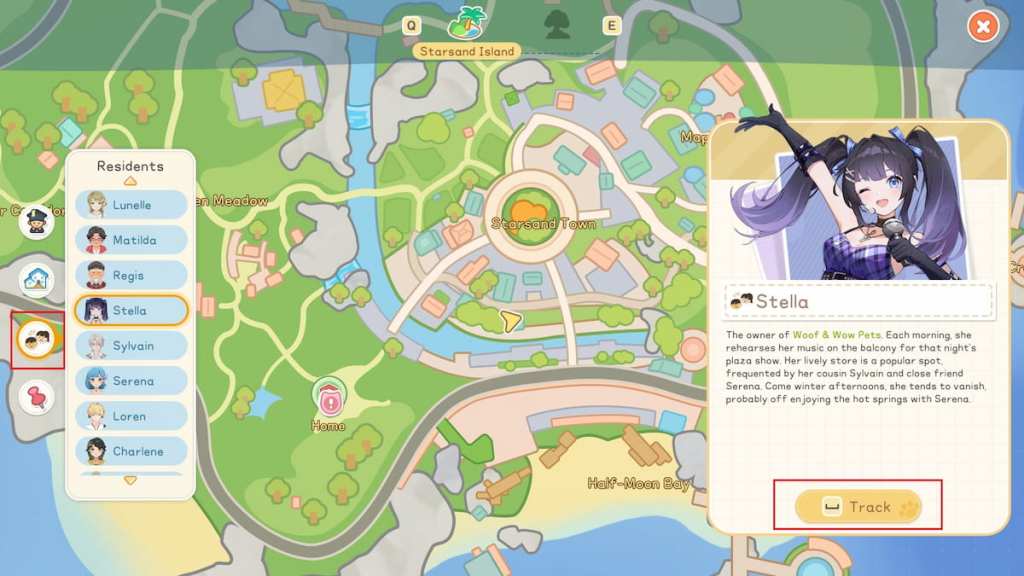
All romanceable characters wander around the village in Starsand Island, so although they generally spend the most time at their shop or home, it can sometimes be tough to track them down if they're out and about. Luckily, you can use the map to make this process easier.
To do so, open the map, click the Residents icon, which is the third one down on the left side, locate the character you want to find, then select the "Track" option near the bottom right corner of the screen. This works for any character you wish to find, even standard NPCs who are not romanceable.
The post All romanceable characters in Starsand Island appeared first on Destructoid. | ||||||||||||||||||||||||||||||||||||||||||||||||
Destructoid Wednesday, February 11, 2026 11:22 AM
A dangerously delicious storm has overtaken the Lady and The Tramp Realm, but luckily, you've got a fancy new snout to help you get to the bottom of it in Disney Dreamlight Valley. The Meatballs quest is the mission you'll need to tackle to help stop this strange weather.
The meatball madness is causing all kinds of problems around the area, and it's a real danger to both Lady and Tramp, so getting rid of it as soon as possible is crucial. Here's a complete walkthrough for the Meatballs quest in Disney Dreamlight Valley.
Table of contents
How to complete Meatballs in Disney Dreamlight Valley
Wear the Substitute Snout
To get going on this mission, you need to equip your Substitute Snout. You made this item during The Jailbreak quest, but if you took it off, you can find it in the Masks category under the Wardrobe page.
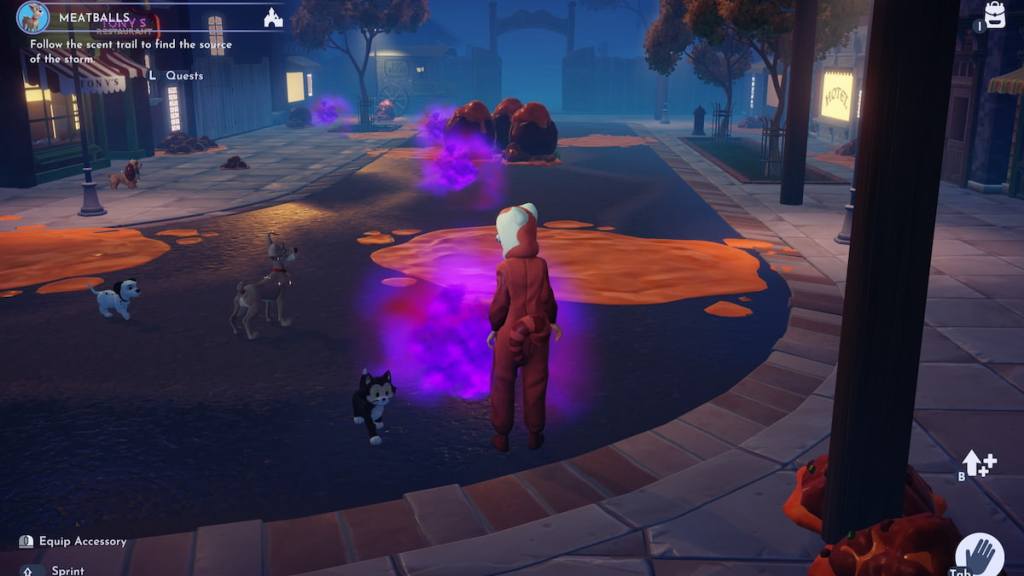
Follow the scent trail to find the source of the storm
With your useful snout equipped, look around for purple smoke clouds. Once you spot one, make your way over to it. Look around for the next one, and keep repeating this process to follow the scent trail all the way to the source of the storm.
Chase down the Spaghetti Tumbleweeds
The scent trail leads you to a fenced area behind the table where Lady and Tramp had their dinner. As soon as you get there, several Spaghetti Tumbleweeds will appear and roll away. Wander around the Realm in search of them, collecting them all to get you closer to the source of the storm.
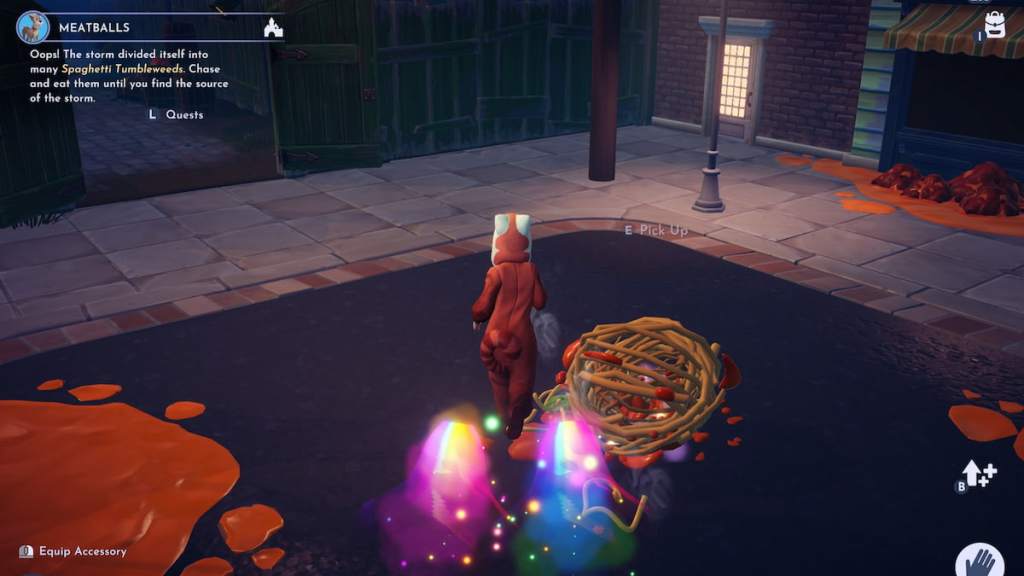
Once you catch one, make sure you open your inventory and consume it like you would any food item. Eating them is essential for progressing this step. I found and ate five in total, all of which were rolling around the main street.
Show the Well-Loved Dog Collar to Tramp
Finding and eating all the Spaghetti Tumbleweeds grants you a Well-Loved Dog Collar in your inventory as a reward. Meet up with Tramp in front of Tony's to chat with him about it.
Finding the collar stopped the storm, so you can now get to work preparing the valley for Lady and Tramp's arrival. Exit the Realm to proceed to the next step in this mission.
Place Lady and Tramp's house
The pups need somewhere to call home in the valley, so you need to place Lady and Tramp's home to prepare for their arrival. Place the outline for their home anywhere you like, then interact with the Scrooge McDuck sign in front of it. You'll then have to spend 20,000 Star Coins to build their house.

Tramp will arrive in the valley as soon as the house is finished. Lady isn't with him, though, so chat with Tramp to see what's going on. She was supposed to be right behind him, but something went wrong, and he can't go back into the Realm to get her, or he'll forget everything.
It's up to you to rescue her, and promising to do so officially concludes the Meatballs mission. You've got Tramp, but there's still a bit more work to be done to unlock Lady in the Critters and Compassion quest.
The post Meatballs quest walkthrough in Disney Dreamlight Valley appeared first on Destructoid. |
























Gaming Instincts – Next-Generation of Video Game Journalism Wednesday, February 11, 2026 11:11 AM According to a new official post. The post Code Violet Is Somehow Already Getting A Sequel appeared first on Gaming Instincts - Next-Generation of Video Game Journalism. |
MonsterVine Wednesday, February 11, 2026 4:00 PM Super Bomberman Collection is a top-notch gathering of several Bomberman games that offer small but intriguing differences between one another. Whether you've played these titles before or not, the bounty of bonus features and interesting inclusions make it a rather fine collection. Super Bomberman Collection Developer: Red Art Games Price: $25 Platforms: PlayStation 5 (reviewed), […] |